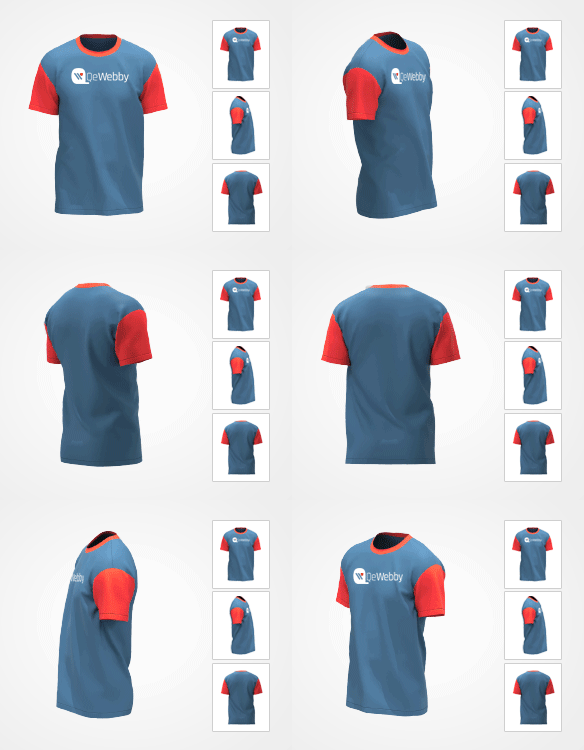





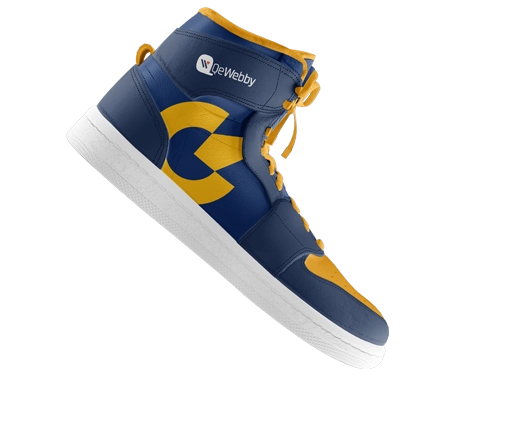







360° Product Viewer for Instant Product Previews

Reduce friction between product previews and purchase decisions with 360° Product Viewer, enabling your customers to access product details faster, select variations, and add them to the cart quickly.

Trust Badges:

360° Product Viewer
360° Product Viewer for Instant Product Previews
blog left bottom
blog right top
blog right bottom

Slow product exploration kills engagement

When customers have to click through to every single product page just to see basic info

High Abandonment Rates

Slower, static product previews lead users to abandon their carts.

Reduced Credibility

Slower product previews reduce your brand credibility.

Lower Conversion Rates

If buyers don’t trust your brand, conversion rates will be lower.

Higher Cost of Customer Acquisition

High cart abandonment and lost credibility means more resources for customer acquisition.

Technical Limitations

Many default preview tools rely on heavy scripts that slow your site’s overall performance.

360° Product Viewer: Don’t Let Your Customers Stop While Buying!

QeWebby’s 360° Product Viewer recreates the in-store product experience online. With a smooth, 360°-rotatable view, shoppers can instantly inspect every detail, reducing hesitation and accelerating purchase decisions without compromising site speed.

Interactive 360° product rotation for full visual inspection

Boosts buyer confidence by showing products from every angle

Lightweight architecture ensures fast page load performance

Reduces product returns by setting accurate expectations

Seamless integration with the existing eCommerce platform

Why Install 360° Product Viewer for Your WooCommerce Website?

Boost Conversion Rates

Interactive product view improves engagement, and offers more product details.

Reduce Return Rates

A 360°-degree view of the product ensures that customers get a complete picture reducing the return rates.

Go Mobile-First

With this plugin, your site will offer interactive feature which is responsive and mobile-friendly.

Reduced CAC

You can reduce the cost of customer acquisition through improved buying decisions per interaction.

Better Customization

Control every aspect of the product view, including rotation speed, navigation styles, and auto-spin settings.

Why Install 360
Why Install 360° Product Viewer for Your WooCommerce Website?

Transform Your Static Photos Into an Interactive
360° Degree View in 4 Steps

1

requirement analysis

Install & Activate

Download the plugin from the WooCommerce repository and activate it.
2

360 gradient

Upload 360° Images

Add your 360° product images directly from the WooCommerce dashboard.

3

Design & Development

Add Shortcode

Insert the auto-generated shortcode into your product and update.

4

qac

Go Live Instantly

The interactive 360° product viewer appears immediately for customers to explore.

od left shape
od right shape

Who It’s For

Ideal Users

Fashion & Apparel

Show the fit, the back of the dress, or the fabric's texture.

Electronics & Gadgets

Let users inspect ports, buttons, and build quality.

Automotive Parts

Ensure customers are buying the exact part shape and fitment they need.

Luxury & Jewelry

Replicate the experience of holding a ring or watch under the light.

Furniture & Decor

Allow homeowners to visualize the item from all sides before placing a large order.

Not Ideal If...

Your site has only one
or two products

You don’t use WooCommerce
product listings

You prefer redirecting users to
full product pages only

Powerful Features,
Simple Interface

Manage your 360° views directly inside the WooCommerce product editor you already know.
360 Product Review Banner image

FAQs

Will this slow down my website?

No. We use lazy loading and optimized scripts to ensure the viewer only loads when necessary, keeping your site fast.
Not at all. You just need a series of standard JPG/PNG photos taken from different angles. The plugin does the rest.
Yes, the 360 Product Viewer is designed to integrate with standard WooCommerce galleries and works with almost all major themes and page builders, such as Elementor or Divi.

Absolutely. It supports touch gestures (swiping) natively, offering a great experience on iOS and Android.

Don’t make customers click twice

Let shoppers preview products instantly without leaving the page.

CTA User
^