











Table of Content

WordPress powers a massive share of the web, with a 42.5% CMS market share. However, there is a cost to scale. Founders and marketing teams need to understand, when using WordPress at scale, that traffic alone is not growth if users bounce before they act.
This guide is based on real audit frameworks used to improve conversion performance across WordPress websites.
How do you ensure users don’t leave before completing key actions?
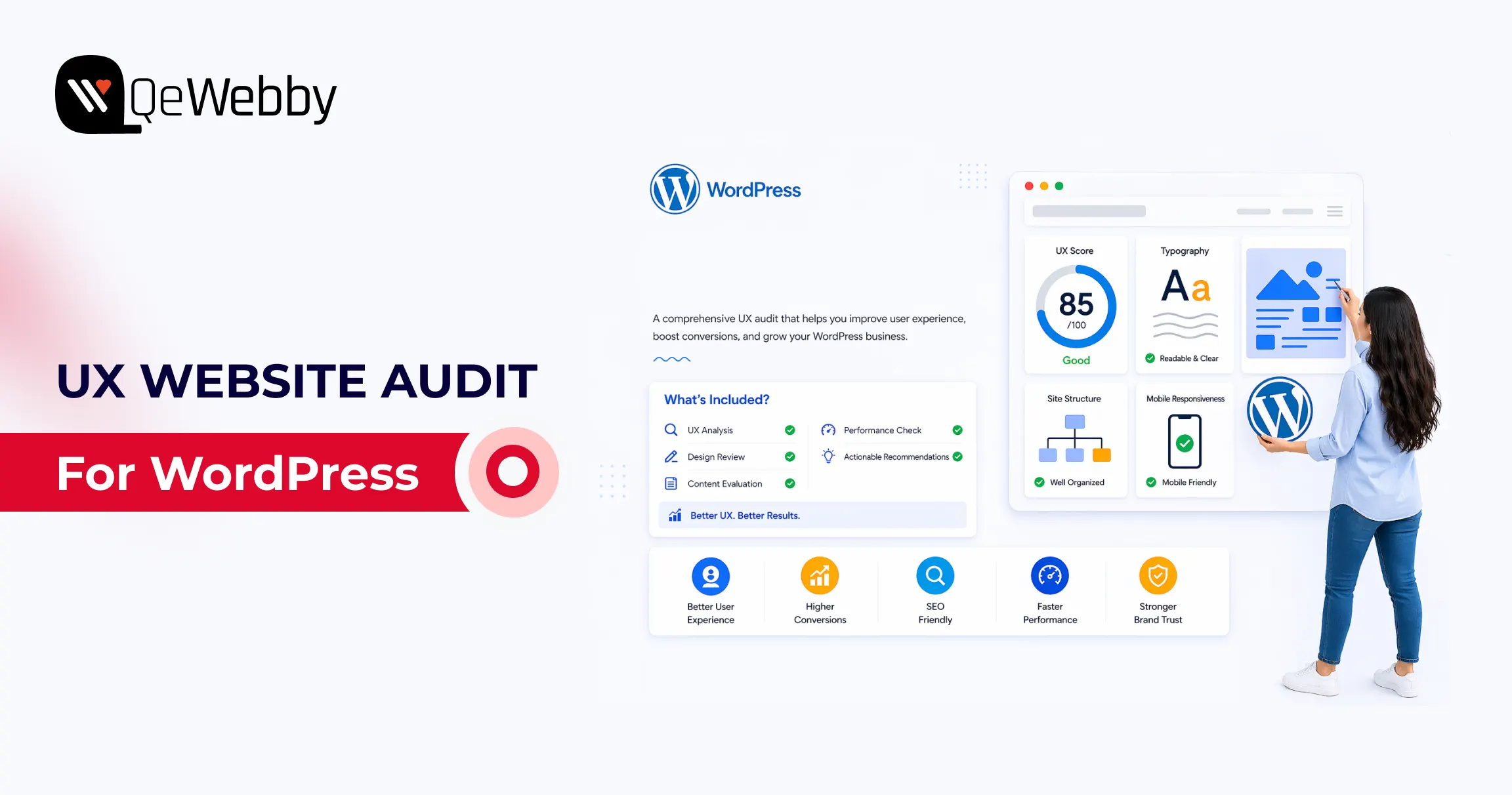
A UX website audit helps gain measurable diagnosis, tying design, performance, and usability issues to revenue events. A structured website conversion audit helps you pinpoint churn points, which you can fix by using expert UI/UX design and development services.
In this guide, we break down practical strategies to improve conversion rates and optimize WordPress user experience. So, let’s get started with the ultimate WordPress UI/UX audit guide.
What is a UX website audit?
Start a WordPress UX Website Audit by Defining Conversion Goals
A conversion goal is a measurable action tied to business value, not a visual preference. For lead generation sites, macro conversions include demo requests, consultation bookings, and form submissions. For WooCommerce sites, macro conversions include completed purchases and checkout completion rate.
Micro conversions matter because they predict macro outcomes. Track add-to-cart rate, pricing-page views, click-to-call actions, scroll depth, and newsletter signups as leading indicators. Google’s documentation on GA4 purchases and eCommerce reports, and key events setup, gives the minimum event architecture you need before auditing UX.
If GA4 key events are not correctly configured, your audit is mostly guesswork. You might improve aesthetics and still lose revenue because no one measured task completion in the first place.
Audit the First 5 Seconds: Consent UX and Privacy Friction
Before a user ever sees your value proposition, they interact with your compliance layer. Large companies live and die by GDPR and CCPA, but poorly designed cookie banners are massive conversion killers.
Audit your Consent UX:
- Does the banner block the Largest Contentful Paint (LCP) on mobile?
- Is the opt-in seamless, or does it force users to hunt for the "Accept" button?
If your privacy compliance frustrates users immediately, your bounce rate will spike before the user even begins their journey.
Analytics Shows Where Users Leave, UX Analysis Explains Why
Analytics shows symptom location, not root cause. A drop on a contact page tells you where failure occurs, but not whether the issue is unclear value proposition, poor field design, weak trust signals, or mobile friction.
#1. Build a website conversion audit from GA4 funnel drop-offs
#2. Connect website conversion audit findings to user intent gaps
Map every high-drop page to the user’s job on that page. A pricing page job is not about browsing; it is about plan comparison and confidence-building. A contact page job is not reading; it is a low-friction submission that reassures about response time and privacy.
#3. Prioritize website conversion audit pages by revenue proximity
Review pages that directly impact revenue, such as checkout, lead forms, pricing, and high-intent landing pages. This is where small UX improvements usually return faster gains than broad redesign work.
What Is a Website Conversion Audit?

Core Web Vitals Reveal Hidden Performance Friction on WordPress Sites
Core Web Vitals are user experience thresholds tied to perceived speed and interaction quality. web.dev defines healthy targets as LCP at or below 2.5s, INP at or below 200ms, and CLS at or below 0.1 at the 75th percentile.
On WordPress, performance debt often comes from heavy themes, page builder bloat, render-blocking scripts, oversized media, excessive third-party tags, and a weak caching strategy. The WordPress Hosting Performance Handbook is useful because it frames optimization as system design, not plugin roulette.
Poor CWV is not only an SEO problem, but it is also a trust problem. If the first viewport stalls, users infer risk before they read your offer.
What Is a Conversion Optimization Audit?
A conversion optimization audit focuses on improving high-impact areas like forms, checkout flows, and CTAs to increase task completion and revenue.
Mobile UX Often Determines Whether Visitors Ever Reach the CTA
According to report, 53% of mobile users abandon a website if it takes longer than 3 seconds to load.
Mobile-responsive means layouts technically resize. Mobile-optimization means users can complete tasks comfortably on small screens, with a clear hierarchy, readable type, and touch-friendly interactions.
- Audit your mobile flow for menu depth, sticky header behavior, tap target sizing, above-the-fold CTA visibility, form fatigue, and friction caused by intrusive pop-ups.
- Use Chrome DevTools and real-device checks because simulated tests miss thumb-zone and visual density issues.
Google’s mobile speed perspective and web.dev vitals guidance both reinforce that delay compounds abandonment. Most WordPress sites fail mobile not because teams ignore users, but because desktop-first blocks get stacked without mobile task prioritization. That is a design governance issue, not a single bug.
Forms and Checkout Flows Are the Highest-Value Audit Zones
Research from the Baymard Institute shows that the average cart abandonment rate is around 70%, often caused by complex checkout processes and poor usability.
Form and checkout design decide whether intent becomes revenue. Baymard’s checkout research and benchmarks are still the most practical evidence base for eCommerce teams, including the widely cited cart abandonment benchmark and checkout findings.
For lead-gen forms, reduce field count, clarify labels, use inline validation, and add contextual trust copy near submit actions. For WooCommerce checkout, support guest checkout, reveal costs early, simplify error recovery, and keep order review obvious.
A conversion optimization audit should prioritize these changes over cosmetic refreshes because they directly affect completion rates. The highest-converting checkouts are usually visually calm, predictable, and intentionally boring.

Accessibility Improvements Often Become Conversion Improvements
The WebAIM Million report found that over 95% of homepages have detectable accessibility issues, many of which impact usability and conversion performance.
Accessibility is a measurable usability quality, not a legal afterthought. WebAIM’s 2025 Million report found detectable WCAG failures on most analyzed home pages, and the same failure patterns often reduce conversion clarity for everyone.
Check CTA contrast, form label association, keyboard navigation, focus visibility, alt text coverage, empty button labels, and readable error messaging. Align your reviews with WCAG guidance from W3C, including practical implications of modern focus and target-size expectations.
The commercial angle is direct: inaccessible interactions increase cognitive load, and cognitive load kills action completion. Fixing accessibility frequently improves mobile completion rates, form success, and trust signals in one move.
A Strong Audit Prioritizes Fixes by Revenue Impact and Effort
Prioritization converts findings into outcomes. Use a simple matrix with effort on one axis and business impact on the other.
Quick wins include CTA contrast correction, image compression, form label clarity, and clarity of the above-the-fold message. Medium initiatives include simplifying navigation, aligning landing page intent, and reducing checkout steps. Large initiatives include theme refactor, page-builder cleanup, or full WooCommerce flow redesign.
Run a conversion optimization audit backlog with an impact x effort model
A conversion optimization audit backlog should be treated like a growth roadmap, not a design wishlist. Define owner, expected KPI movement, implementation effort, and validation window for each item before development starts.
A/B testing belongs after instrumentation and traffic reality checks. If your sample size is small, sequential UX improvements plus before/after cohort measurement are usually more reliable than underpowered split testing.
User Testing Validates What Analytics and Expert Review Cannot Prove
Heuristic evaluation and usability testing answer different questions. It is fast and cost-efficient for expert diagnosis. On the other hand, task-based testing with five representative users reveals internal friction that teams overlook.
Use task scripts tied to conversion intent: find pricing, submit a lead form, complete checkout, recover from an input error, and locate policy reassurance. Then compare observed friction against analytics drop points and fix the priority list.
This is where a website conversion audit matures into confidence in decisions. You move from “we think this is better” to “users completed the task faster, with fewer errors, on the pages that matter.”
Conclusion
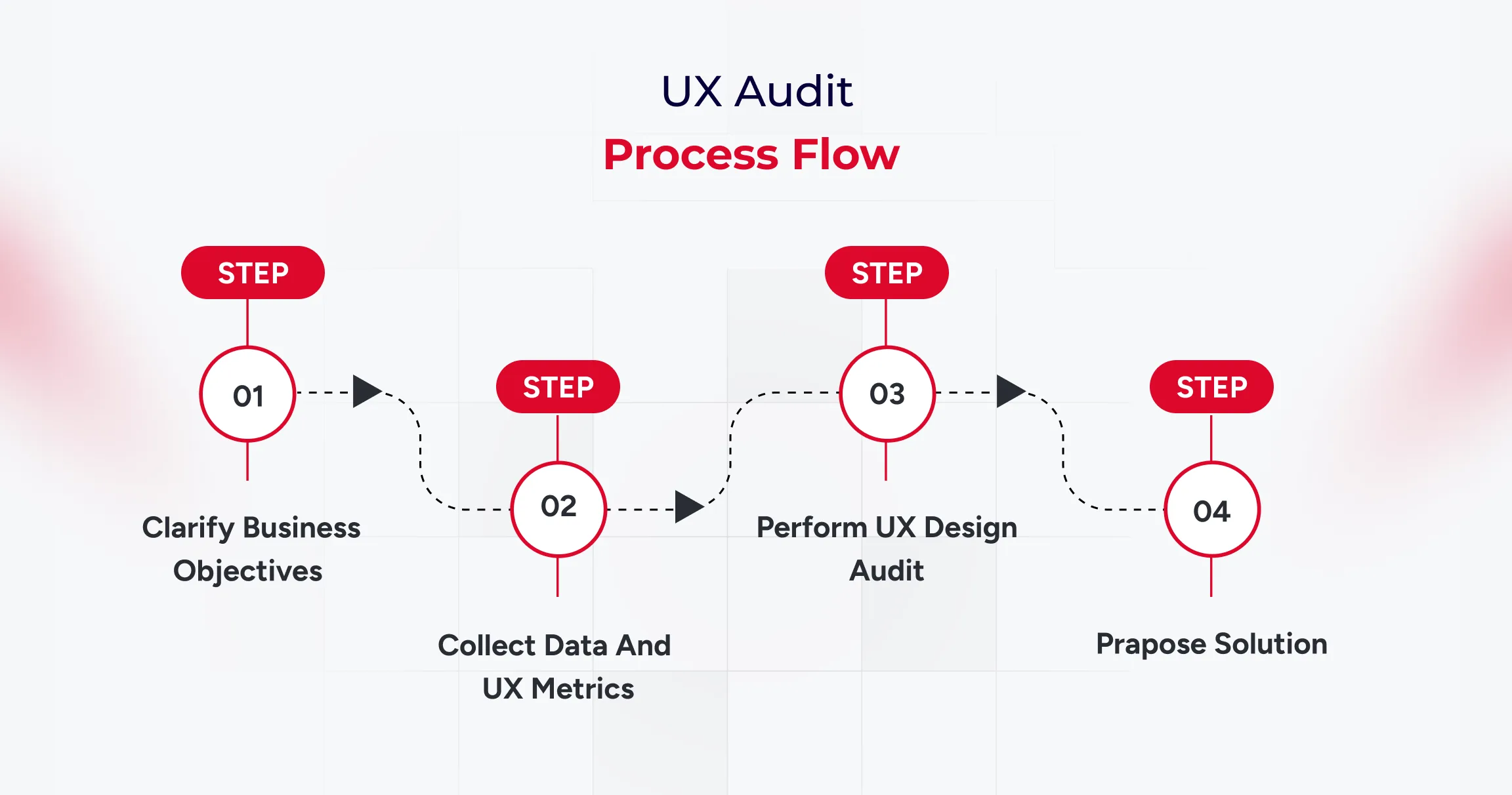
A strong WordPress audit sequence is clear: goals first, then analytics, then CWV, mobile UX, forms and checkout, accessibility, prioritized fixes, and user validation. That framework gives business owners and growth teams an execution roadmap, not a generic design critique.
A UX website audit is most valuable when it ends with accountable implementation decisions, which is exactly where experienced UI/UX design and development services deliver measurable lift in leads and sales.

Anubhuti Rathod
Content Marketing Manager
Anubhuti has spent nearly a decade crafting content strategies that make WordPress websites work harder. At QeWebby, she owns the full content marketing function, turning technical capabilities into audience-ready messaging that drives qualified traffic and leads.
Frequently Asked Questions
#1. What is UX website audit in WordPress?
A UX website audit is a structured evaluation of user experience, performance, and usability to identify issues that prevent users from completing key actions.
#2. How does a website conversion audit improve conversion rates?
A website conversion audit improves rates by identifying high-impact friction on revenue-near pages and prioritizing fixes by effort versus expected return. Teams typically see faster gains when they address form clarity, checkout flow, mobile hierarchy, and trust messaging before cosmetic redesign work.
#3. Why should WordPress sites include Core Web Vitals in a UX audit?
Core Web Vitals should be included because loading, interaction latency, and layout stability directly shape user trust and task completion behavior. web.dev thresholds and WordPress hosting guidance show that theme weight, script loading order, and media handling often create fixable conversion drag.
#4. Can accessibility fixes improve conversions?
Accessibility fixes can improve conversions by reducing cognitive friction and interaction errors for all users, not just users with disabilities. WebAIM failure patterns, such as low contrast, unlabeled controls, and weak focus states, often overlap with issues that reduce form and checkout completion rates.
#5. Which pages should be reviewed first in a conversion optimization audit?
A conversion optimization audit should start with pricing pages, lead forms, checkout steps, and high-intent landing pages because they sit closest to revenue events. Prioritizing these pages first gives teams faster learning cycles and clearer visibility into ROI for additional UX investments.
#6. How long does a UX website audit take?
A UX website audit typically takes 1–3 weeks depending on website size, complexity, and data availability.
#7. What tools are used in a UX audit?
UX audits use tools like GA4, heatmaps, session recordings, and Core Web Vitals reports to analyze user behavior and performance.