










A client’s website launch day usually feels like the finish line.
The design is approved. The pages are live. The client is excited.
Then, two weeks later, the problems start.
This happens because many WordPress websites are built to look good, but they are not always prepared to perform.
According to Stanford Web Credibility Research, 75% of users admit they judge a company’s credibility based on its website design. However, credibility is only the first step. Website performance, usability, and functionality determine whether visitors continue engaging with the business.
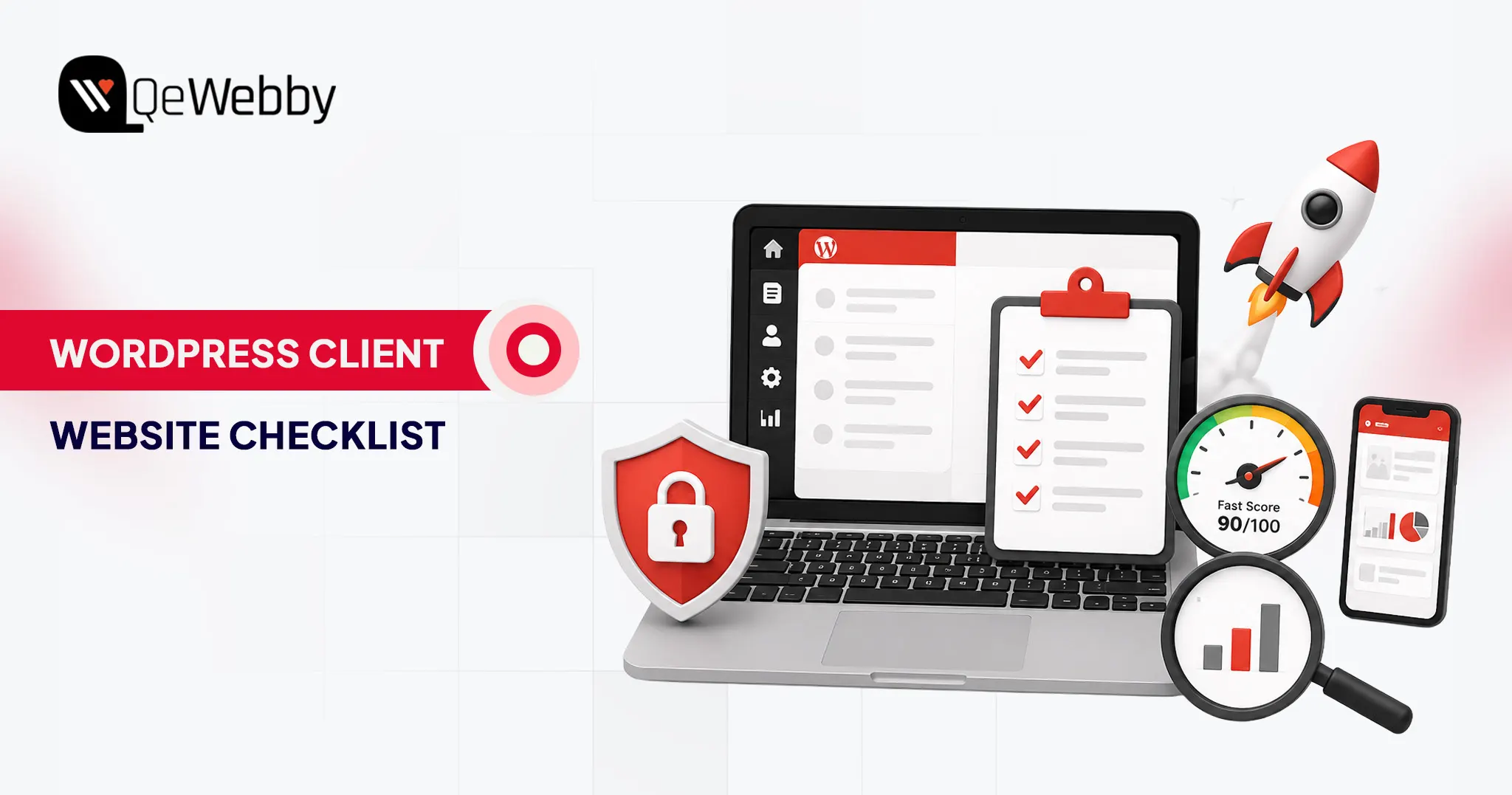
A successful client website needs more than a modern design and a few pages. It needs the right foundation: security, speed, SEO, analytics, lead generation, and an easy management experience.
That is what separates a website that is simply published from a website that helps a client grow their business.
The Difference Between a Site That Is Built and a Site That Is Ready
There is a big difference between completing a website and preparing it for success.
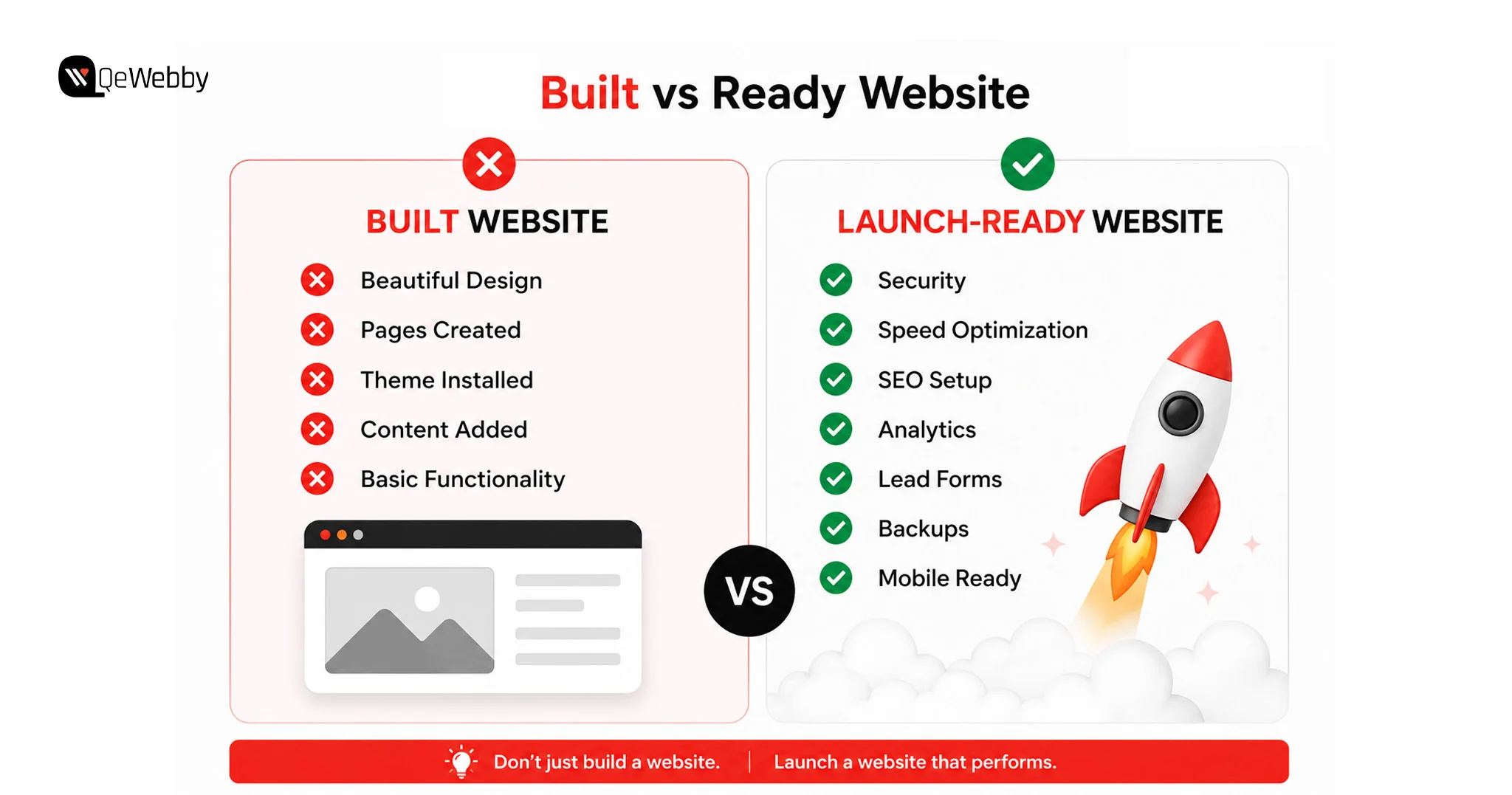
A built website has:
- Pages created
- A professional design
- Content uploaded
- A working theme
- Basic functionality
A ready website goes further.
It has:
- Security protecting the website from threats
- Speed optimization, keeping visitors engaged
- SEO settings helping search engines discover pages
- Analytics showing measurable results
- Lead capture systems converting visitors
- A client-friendly dashboard for easy updates
A complete WordPress development checklist for agencies should include everything needed for performance, usability, security, and long-term maintenance.
The 8 WordPress features below should be treated as a pre-launch checklist before any client website goes live.
8 WordPress Features Every Client Website Should Have
| Feature | Why It Matters |
|---|---|
| Secure login and user role management | Protects the website while giving clients the right access |
| Client-friendly WordPress dashboard | Makes website management easier after handoff |
| Speed and performance optimization | Improves user experience and search visibility |
| Security and backup system | Protects against data loss and website attacks |
| Mobile-responsive design | Ensures the site works across devices |
| SEO foundation setup | Helps Google understand and rank website content |
| Lead generation features | Converts visitors into enquiries and customers |
| Analytics and reporting setup | Shows whether the website is achieving results |
Now let’s break down each feature.
#1. Login Setup
A WordPress website often starts with a simple mistake: giving clients more access than they actually need.
Most clients do not need full Administrator permissions.
When a client has complete admin access, they can accidentally:
- Delete important plugins
- Change theme files
- Install conflicting tools
- Modify settings that affect website performance
When something breaks, the developer is usually the first person they call.
A better approach is creating a secure WordPress client site setup where users only get access to the areas they actually manage.
For most clients, the Editor role is enough. They can update pages, publish content, and manage media without having access to critical website settings.
What Every Client Login Setup Should Include
Change the Default Login URL
The standard WordPress login page (/wp-admin) is targeted by automated bots.
Using a plugin like WPS Hide Login helps hide the default login location and reduces unnecessary login attempts.
Enable Two-Factor Authentication
Passwords alone are not enough protection.
Two-factor authentication adds another security layer by requiring users to verify their identity before accessing the dashboard.
Plugins such as WP 2FA make this easier to implement.
Limit Login Attempts
Repeated login attempts are one of the most common attack methods against WordPress websites.
Security plugins such as Wordfence can automatically block suspicious login activity and protect the client site.
Customize the Login Experience
A branded login page creates a more professional handoff experience.
Adding the client’s logo and removing unnecessary WordPress branding helps make the website feel like a dedicated business platform.
A secure login setup is one of the simplest WordPress security features for client websites, but it can prevent major problems later.
#2. Dashboard the Client Can Actually Use Without Calling for Help
The default WordPress dashboard is designed for developers, not everyday business owners.
After logging in, clients often see:
- Plugin notifications
- Theme settings
- Developer tools
- Technical options
- Features they will never use
Too many options create confusion.
And a confused client usually means more support requests.
A client-friendly WordPress admin experience should make it easy for users to complete basic tasks without worrying about breaking something.
How to Create a Better Client Dashboard?
Remove Unnecessary Menu Items
Plugins like WP Adminify or Adminimize allow developers to hide:
- Theme editor
- Plugin settings
- Technical tools
- Unused dashboard sections
The client should only see what they need.
For example:
- Pages
- Posts
- Media
- Forms
- Website analytics
Add a Welcome Guide
A simple welcome message can reduce future confusion.
Include:
- Website update instructions
- Important links
- Contact information
- A short training video
A five-minute Loom walkthrough can save hours of future support conversations.
Add Analytics Visibility
Clients want proof that their website is working.
Adding a dashboard analytics widget allows them to see:
- Website visitors
- Popular pages
- Traffic sources
- Leads generated
A well-organized dashboard improves the handoff experience and helps clients feel confident managing their website after launch.
#3. Speed Optimization
A website can have an impressive design, strong messaging, and all the right pages, but none of that matters if visitors leave before the page finishes loading. Research from Google shows that as page load time increases from 1 second to 5 seconds, the probability of a mobile visitor leaving increases by 90%.
Website speed is one of the first experiences users have with a brand. A slow website creates friction, reduces engagement, and can directly affect conversions. For businesses investing in a WordPress website, performance is not just a technical requirement; it is part of the customer experience.
Many developers focus heavily on design during the development phase and treat performance as something to fix later.
A proper WordPress speed optimization checklist ensures the website is built for performance from the beginning.
What Makes a WordPress Website Slow?
Most slow websites are not caused by one single issue. Performance problems usually come from multiple small factors working together.
Large image files increase page size. Too many plugins add unnecessary scripts. Poor hosting slows down server response times. Without caching, the website has to rebuild the same resources repeatedly for visitors.
The goal of optimization is not simply to achieve a better speed score. The goal is to create a website that feels fast and responsive for real users.
The Speed Setup Every Client Website Needs Before Launch
The first step is reducing unnecessary load on the website. Images should be compressed before uploading and converted into modern formats like WebP wherever possible. This reduces file size while maintaining visual quality.
Caching is another important part of performance optimization. A caching plugin stores frequently used website resources so pages can load faster instead of rebuilding everything with every visit. Tools like WP Rocket and LiteSpeed Cache are commonly used solutions for WordPress websites.
A Content Delivery Network (CDN) can further improve loading speed by delivering website assets through servers closer to visitors. Cloudflare is a popular option that also provides additional security benefits.
Before handing over the website, developers should always test performance using tools like Google PageSpeed Insights. This helps identify issues related to loading speed, mobile performance, and Core Web Vitals.
A fast website creates a better experience for visitors and gives clients a stronger foundation for SEO, conversions, and long-term growth.
Website speed improvements don’t end after launch. Regular performance audits help identify new bottlenecks caused by plugin updates, theme changes, or growing content libraries. Explore our WordPress Speed Optimization Services to keep your website fast as it grows.
#4. Security and Backups
Security is one of the most overlooked WordPress features for client websites.
A website can work perfectly for months and then suddenly face problems because of outdated plugins, weak passwords, malware, or failed updates. When that happens, the client does not see it as a technical issue. They see it as a business problem.
That is why security should be handled before launch, not after something goes wrong.
A professional WordPress client site setup should include both prevention and recovery. Protecting a website from threats is important, but having a reliable backup system is what helps restore operations quickly when unexpected issues occur.
Why Backups Should Be Ready Before Handoff
One of the biggest mistakes developers make is assuming clients will manage backups themselves.
Most clients are focused on running their business. They are unlikely to monitor backup schedules, check whether files are stored correctly, or test if a backup can actually restore the website.
A complete backup system should already be configured before the website is delivered.
Security plugins like Wordfence help protect websites through features such as firewall protection, malware scanning, and login monitoring. Automated backup solutions like UpdraftPlus help maintain copies of the website that can be restored when needed.
The backup location also matters. Keeping backups only on the same server as the website creates risk because a server issue can affect both the live site and the backup.
A reliable setup usually includes:
- Automated scheduled backups
- Off-site storage
- Regular restore testing
- Multiple recovery points
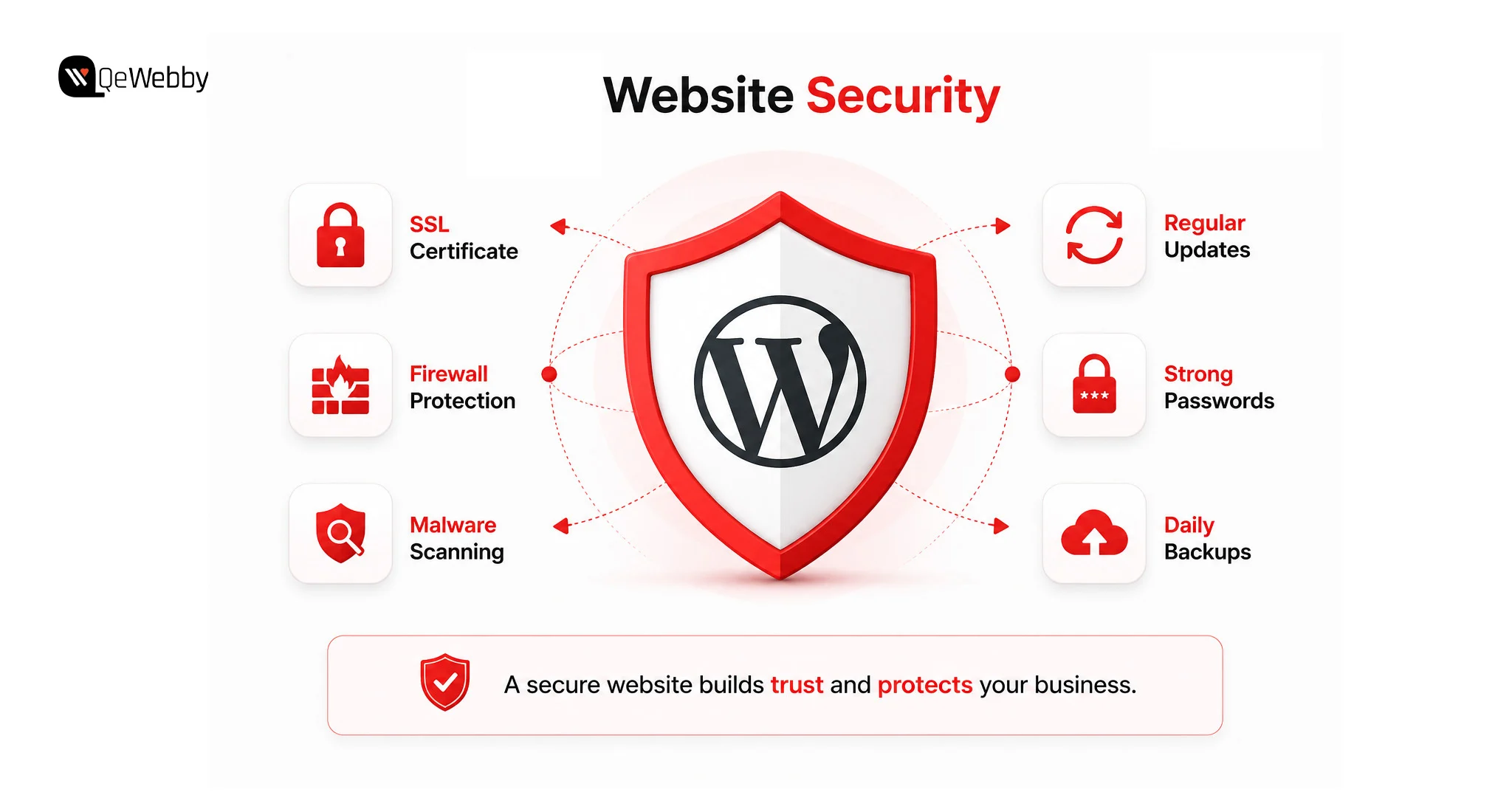
Beyond backups, basic security practices should also be completed before launch. SSL should be enabled, unnecessary plugins should be removed, administrator access should be limited, and features like the WordPress file editor should be disabled to reduce accidental changes.
For businesses that want ongoing protection after launch, a WordPress maintenance service for clients can provide continuous security monitoring, updates, backup checks, and technical support.
Website security requires continuous monitoring rather than one-time setup. Regular updates, malware scanning, uptime monitoring, and backup verification help keep your website protected long after launch. Learn how our WordPress Maintenance Services help businesses maintain secure and reliable websites.
#5. Mobile-First Design
A website that looks perfect on a desktop screen can still fail where many customers actually browse: mobile devices.
Mobile responsiveness is no longer an optional design feature. It is a core requirement of every WordPress website launch checklist. According to Statista, mobile devices generate more than half of global website traffic, making mobile optimization a core requirement rather than an optional improvement.
Visitors expect pages to load correctly, buttons to work easily, and content to remain readable regardless of the device they use.
Google also evaluates websites with a mobile-first approach, which means the mobile experience plays an important role in search visibility.
Why Mobile Testing Should Happen Before Launch
A common development mistake is building the entire website on a desktop and checking mobile only at the end.
This often creates avoidable problems.
A layout that works on a large screen may feel crowded on mobile. Buttons may become difficult to tap. Images may slow down the experience. Forms that work perfectly on desktops may become frustrating on smaller screens.
Testing mobile throughout the development process makes it easier to identify and fix these issues.
What Developers Should Review Before Delivery
Every important page should be tested on real devices, not only browser previews.
The homepage, service pages, contact forms, and conversion-focused sections should be checked to ensure:
- Text remains easy to read
- Navigation works smoothly
- Buttons are easy to tap
- Images display correctly
- Forms function properly
Mobile speed should also be tested separately because performance on smartphones is often different from desktop.
A mobile-friendly website improves user experience, supports SEO performance, and helps clients avoid losing potential customers because of usability issues.
#6. SEO Foundation
A website launch is not complete when the pages go live.
It is complete when search engines can understand the website, users can discover it, and the business has a chance to attract organic traffic.
Many clients realize months after launch that their website is not generating visitors. The reason is often simple: SEO was considered a future task instead of part of the initial WordPress development checklist.
SEO needs to be built into the website foundation.
What Every Client Website Needs Before Going Live
The first step is configuring an SEO plugin such as Rank Math or Yoast SEO. These tools help manage important elements like metadata, XML sitemaps, and content optimization.
Every important page should also be reviewed before launch. The homepage, service pages, about page, and contact page should have clear titles, descriptions, proper heading structure, and content aligned with search intent.
Technical SEO settings also matter.
The XML sitemap should be submitted through Google Search Console so search engines can discover website pages efficiently. Schema markup should be added where relevant to provide more context about the business.
One simple setting can also prevent an entire website from appearing in search results. Developers should always confirm that the “Discourage search engines from indexing this site” option is disabled before moving a website from staging to live.
SEO is not something added after a website is finished. It is one of the core WordPress features that helps transform a website from a digital presence into a business growth tool.
Building a strong SEO foundation is only the beginning. Regular technical audits help identify crawl issues, indexing problems, broken links, and performance improvements that support long-term organic growth. Our Technical SEO Services help businesses maintain healthy, search-friendly WordPress websites.
#7. Contact Forms and Lead Capture
A client website is not built just to exist online. According to HubSpot, businesses that prioritize conversion optimization can significantly improve their ability to turn website visitors into leads. Small improvements in forms, CTAs, and user journeys can directly influence enquiry rates.
The website is built to help the business generate enquiries, bookings, sales, or conversations with potential customers.
This is where many websites fail.
They look professional, have impressive designs, and contain all the right information, but they make it difficult for visitors to take the next step. A missing contact form, unclear call-to-action, or broken enquiry process can turn valuable traffic into lost opportunities.
Lead generation should be treated as one of the most important WordPress features for client websites because it directly connects website performance with business outcomes.
Why Lead Capture Should Be Part of the Website Foundation
A common mistake is treating contact forms as a simple page element instead of a conversion system.
A well-designed website guides visitors toward action. It answers their questions, builds trust, and makes contacting the business simple.
For example, a visitor who lands on a service page should not have to search through the website to find a way to connect. The next step should be clear.
A strong lead capture setup includes more than just adding a form. Developers should consider where the form appears, what information it collects, how submissions are handled, and whether the client receives notifications properly.
Before handoff, every form should be tested from the user’s perspective.
Does the form submit correctly?
Does the client receive the enquiry?
Does the visitor get confirmation?
Small details like these often determine whether a website becomes a business tool or just an online brochure.
The Lead Generation Setup Every Client Website Needs
For most businesses, a simple and effective form works better than a complicated one.
Forms should collect only the information required to start a conversation. Asking for too many details can discourage visitors from completing the submission.
Plugins such as WPForms and Gravity Forms provide flexible options for creating professional contact forms.
A complete setup should include:
- A clear call-to-action placed on important pages
- Confirmation messages after submission
- Email notifications for the client
- Mobile-friendly form design
- Conversion tracking for submissions
Adding options like WhatsApp contact buttons can also improve accessibility, especially for businesses that receive customer enquiries through mobile devices.
A website’s success is not measured by how many people visit it. It is measured by what those visitors do next.
#8. Analytics and Reporting
One of the biggest challenges after launching a website is proving that it is working.
Clients often ask:
“How many people are visiting?”
“Which pages are getting attention?”
“Are we receiving leads from the website?”
Without analytics, these questions become difficult to answer.
That is why the analytics setup should be completed before launch, not added months later.
A professional WordPress client website checklist should always include tracking systems that help measure performance from day one.
Why Analytics Matters After Website Launch
A website without analytics is like running a business without knowing where customers come from.
Analytics provides insights into:
- Visitor behaviour
- Traffic sources
- Popular pages
- Conversion activity
- User engagement
This information helps businesses understand what is working and where improvements are needed.
It also changes the client conversation.
Instead of discussing whether the website “feels successful,” developers and clients can look at actual data.
The Analytics Setup Every Client Site Needs
Google Analytics 4 should be connected before the website goes live. This allows businesses to start collecting visitor data immediately.
Tools like MonsterInsights make it easier for non-technical clients to view important information directly inside WordPress.
Google Search Console should also be connected because it provides valuable insights into search visibility, keywords, and website indexing.
The most important step is tracking conversions, not just visitors.
A client does not only need to know that 5,000 people visited the website. They need to know how many people filled out a form, requested information, or completed a valuable action.
For agencies offering a WordPress website development service, including analytics setup and performance reporting, creates additional value. Clients are more likely to invest in long-term improvements when they can clearly see results.
Recommended Plugins for a Complete WordPress Client Website Setup
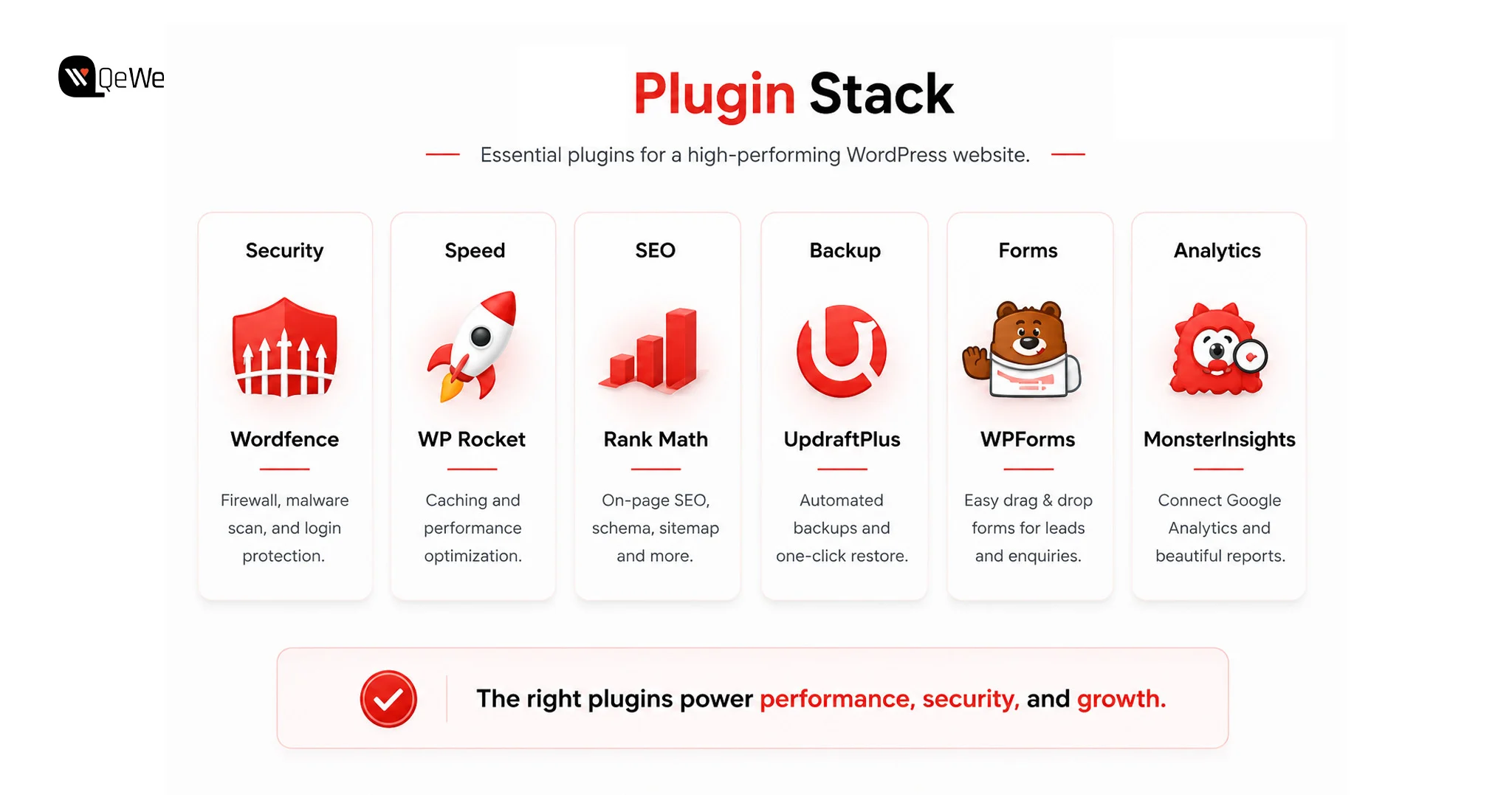
Choosing the right plugins is an important part of building reliable WordPress websites.
However, the goal should not be installing dozens of tools. Too many plugins can create maintenance issues, slow down the website, and make management more complicated.
A better approach is selecting plugins that solve specific business needs.
| Website Need | Recommended Plugin Options |
|---|---|
| Security | Wordfence, Solid Security |
| SEO | Rank Math, Yoast SEO |
| Speed Optimization | WP Rocket, LiteSpeed Cache |
| Backups | UpdraftPlus |
| Contact Forms | WPForms, Gravity Forms |
| Analytics | MonsterInsights, Google Site Kit |
| Login Protection | WP 2FA, Loginizer |
| Dashboard Management | WP Adminify, Adminimize |
The right plugin stack supports the website without creating unnecessary complexity.
Mistakes Developers Make When Delivering WordPress Client Websites
Building a website is only one part of the job. The handoff process determines whether the client feels confident or frustrated.
Many common problems happen because important steps are skipped before delivery.
One mistake is focusing only on appearance. A beautiful website without SEO, analytics, security, or lead capture is incomplete.
Another mistake is giving clients unrestricted access without explaining what they should manage. Full administrator access may create unnecessary risks if users accidentally change important settings.
Ignoring maintenance planning is another missed opportunity. Websites require ongoing updates, security monitoring, and performance checks after launch.
A professional developer does not just deliver a website. They create a system that continues working after the project ends.
What Happens After You Hand Over the Website? The 30-Day Client Success Window
Most WordPress guides focus on building the website.
But the real test begins after launch.
The first month after handoff is when many client relationships are either strengthened or damaged.
During the first few weeks, clients usually experience similar challenges.
They log in and wonder where to make updates. They see plugin update notifications and are unsure whether clicking “update” is safe. They upload large images without understanding how they affect speed. Eventually, they ask whether anyone is visiting the website.
This is where proper preparation makes a difference.
Build WordPress Client Websites That Work Beyond Launch Day
A successful WordPress website is not defined by how it looks on launch day. It is defined by how well it supports the client’s business months later.
The strongest WordPress client websites combine design with the features that matter behind the scenes: security, speed, SEO, analytics, lead generation, and easy management.
Using this WordPress client website checklist before every launch helps developers deliver more reliable projects, reduce support issues, and create better long-term relationships with clients.
A website should not just be delivered.
It should be prepared to perform.
Conclusion
A successful website is not only measured by its launch but by how well it adapts as a business grows. The right foundation allows businesses to add new content, improve customer experiences, and make informed decisions without rebuilding everything from scratch. This is where strategic WordPress development makes a difference.
QeWebby helps businesses create WordPress solutions that are structured for performance, scalability, and easier management. With a focus on thoughtful development practices and business-driven outcomes, QeWebby enables clients to build websites that support their evolving digital needs.
Whether you’re launching a new website or improving an existing one, combining a structured WordPress QA Checklist, regular maintenance, and technical audits helps create a website that’s ready for long-term growth.
To discuss how you can create a website built for long-term success, contact us and explore the right WordPress solution for your business.