














Launching a website isn’t just about going live. It’s about getting everything right before your audience ever clicks. When you’re working with both WordPress and WooCommerce, the stakes are even higher. A missed detail can break checkout flows, slow down pages, or hurt search visibility before you even start scaling.
That’s where a structured WordPress QA checklist becomes essential. It helps you validate performance, functionality, design consistency, and security across every page. At the same time, a focused WooCommerce site testing checklist ensures your product listings, cart behavior, payment gateways, and order workflows function exactly as expected. Why does it matter? Because, as per the reports, approx 50% of consumers will abandon their cart if the checkout process takes longer than 30 seconds.
Think of this as your pre-launch safety net. Without it, you are guessing. With it, you are systematically eliminating risks.
This blog brings together a practical, conversion-focused checklist designed specifically for WordPress and WooCommerce websites. Not generic tips. Real checks that impact revenue, user experience, and long-term growth.
If you want fewer post-launch issues, smoother transactions, and a site that actually performs from day one, this checklist will become your go-to framework.
Why Is a WordPress & WooCommerce QA Checklist Important Before Launch?
Launching without a clear QA process is risky. What looks perfect on the surface can quickly fall apart when real users start browsing, adding products to carts, or completing payments. WordPress and WooCommerce together create a powerful ecosystem, but they also introduce multiple layers where issues can hide.
A well-structured WordPress QA checklist ensures your website is technically sound. It helps you validate page speed, responsiveness, plugin compatibility, SEO readiness, and security. These are not optional checks. They directly influence how users interact with your site and how search engines rank it.
At the same time, a dedicated WooCommerce site testing checklist focuses on revenue-critical elements. Product pages must load correctly. Cart functionality should work without friction. Payment gateways need to process transactions smoothly. Even a small glitch here can lead to abandoned carts and lost sales.
This is where professional website QA testing services and WordPress QA services bring real value. They go beyond surface-level checks and uncover issues that are easy to miss internally. Broken workflows, inconsistent user journeys, or hidden performance bottlenecks can all impact your launch success.
A strong QA checklist is not just about avoiding errors. It is about delivering a seamless experience, building trust with users, and ensuring your WordPress and WooCommerce website performs the way it is meant to from day one.
QA Checklist for WordPress and WooCommerce Website Launches
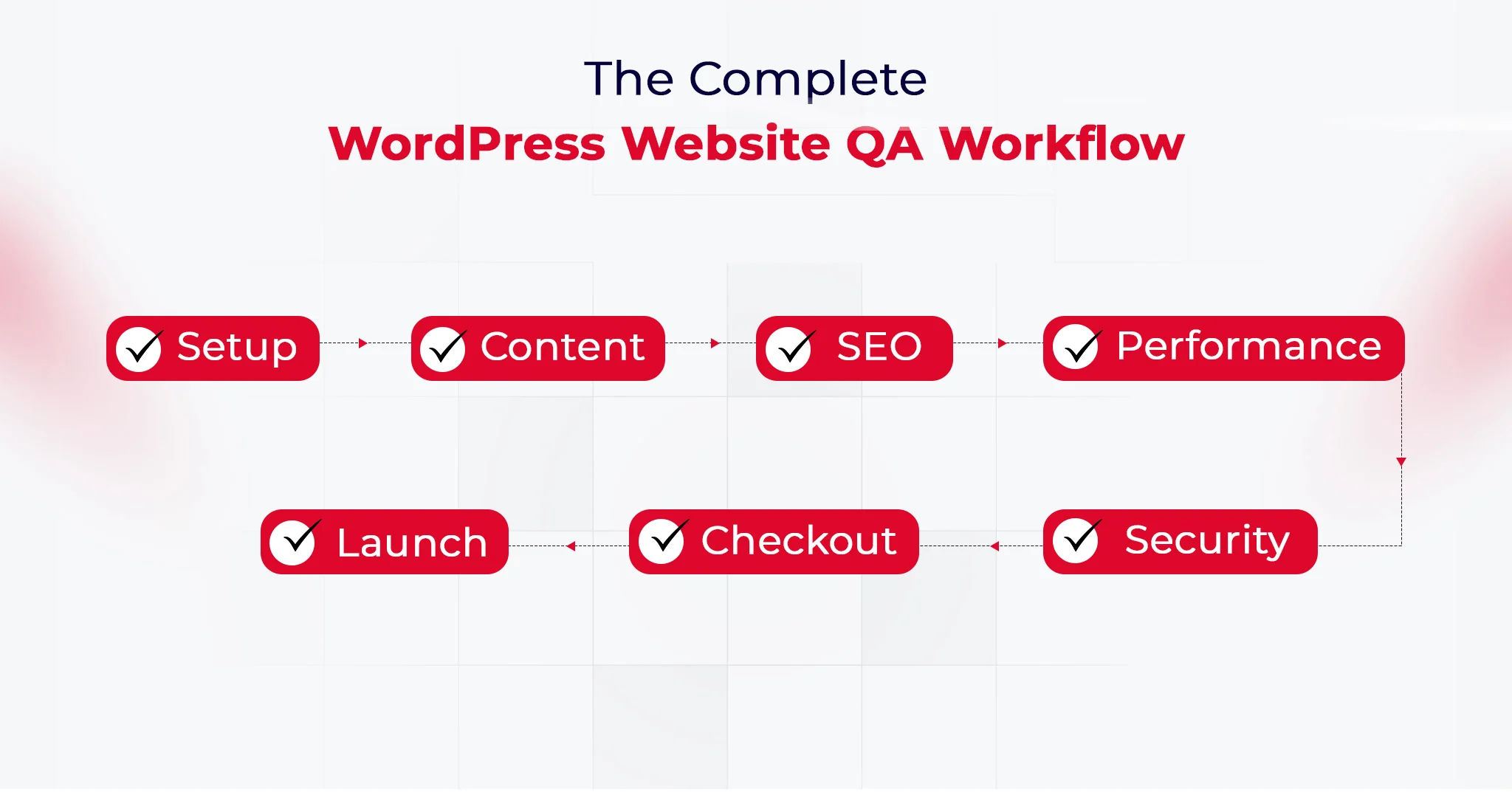
A successful launch is never accidental. It is the result of a structured process where every element is tested, validated, and optimized before going live. This combined WordPress QA checklist and WooCommerce site testing checklist ensures your website is not only functional but resilient, scalable, and ready for real-world usage. It reflects how professional website QA testing services and WordPress QA services approach launch readiness.
WordPress Website QA Checklist
#1. WordPress Core Configuration
Configure site title, tagline, timezone, language, and permalink structure. Ensure canonical URLs and preferred domain formats are correctly set to avoid duplication. Validate reading settings, homepage display, and indexing visibility before going live.
Why does this matter?
Incorrect configurations can create SEO conflicts and tracking inconsistencies. A strong WordPress QA checklist ensures a clean and stable technical foundation.
#2. Essential Plugins
Install and validate plugins for security, backups, SEO, caching, and performance. Remove unused or outdated plugins and verify compatibility between active plugins and themes. Ensure plugin updates do not break existing functionality.
Why does this matter?
Plugin conflicts are one of the most common causes of failures. Website QA testing services focus on compatibility to maintain stability.
#3. Content Readiness
Review all core pages including homepage, about, contact, and policy pages for accuracy and completeness. Check formatting, internal linking, media rendering, and CTA placements across devices. Ensure there is no placeholder or duplicate content.
Why does this matter?
Incomplete or inconsistent content reduces credibility and engagement. WordPress QA services ensure your site is ready for real users.
#4. SEO and Analytics
Set up GA4, Google Search Console, XML sitemap, and robots.txt configuration. Validate meta tags, schema markup, and canonical tags to ensure proper indexing. Test event tracking and goal configurations for accurate reporting. These checks form the foundation of effective technical WordPress SEO.
Why does this matter?
Without proper tracking and indexing, performance cannot be measured. A WooCommerce site testing checklist often overlaps here to support growth tracking.
#5. Performance Optimization
Optimize images using WebP, enable caching, and configure CDN delivery. Minify CSS and JavaScript files and test Core Web Vitals across devices. Monitor server response time and eliminate render-blocking resources.
Why does this matter?
Slow performance directly impacts SEO and conversions. Investing in WordPress performance optimization before launch helps improve Core Web Vitals and user experience.
#6. Security Hardening
Enforce HTTPS across the site and configure firewall and login protection. Disable unused endpoints like XML-RPC and validate file permissions. Ensure admin access and roles are properly restricted.
Why does this matter?
Security gaps can lead to data breaches or downtime. WordPress security services ensure your website is protected from common vulnerabilities.
#7. Mobile Responsiveness and Cross-Browser Testing
Test layouts, navigation, and interactive elements across mobile, tablet, and desktop. Validate compatibility on browsers like Chrome, Safari, and Firefox. Ensure consistent UI behavior and touch responsiveness.
Why does this matter?
A broken experience on any device leads to immediate drop-offs. A complete WordPress QA checklist ensures consistency across platforms.
#8. Forms and Lead Capture Validation
Test all forms for submission accuracy, email triggers, and backend storage. Validate spam protection and integrations with CRM or email marketing tools. Ensure error handling works correctly.
Why does this matter?
Broken forms result in lost leads without visibility. Website QA testing services ensure data capture works reliably.
#9. Broken Links and 404 Handling
Scan for broken internal and external links and resolve redirects. Configure a custom 404 page that guides users back to relevant sections. Validate navigation paths across the website.
Why does this matter?
Broken links negatively impact SEO and user experience. WordPress QA services ensure smooth navigation and proper indexing.
#10. Accessibility and Compliance
Validate accessibility basics such as alt text, keyboard navigation, and contrast ratios. Ensure GDPR compliance through cookie consent and privacy policy visibility. Test usability for assistive technologies.
Why does this matter?
Accessibility improves usability and reduces compliance risks. Website QA testing services increasingly include these checks.
WooCommerce Website QA Checklist
#1. Store Setup
Configure currency, store location, tax display, and business details accurately. Validate regional settings and ensure they align with your target audience. Test storefront visibility and catalog configurations.
Why does this matter?
Incorrect setup leads to pricing and compliance issues. A structured WooCommerce site testing checklist ensures accuracy from the start.
#2. Product Listing
Add and validate product details including images, pricing, SKU, and inventory. Test variations, attributes, and structured data for proper display. Ensure consistency across category and product pages.
Why does this matter?
Product data directly impacts conversions and operations. WordPress QA services ensure product integrity and accuracy.
#3. Financial Configuration
Set up and test payment gateways, including success, failure, and refund scenarios. Validate transaction security, currency handling, and payment confirmation flows. Ensure logs are generated correctly.
Why does this matter?
Payment issues lead to direct revenue loss. Website QA testing services simulate real transactions to ensure reliability.
#4. Shipping and Tax Setup
Define shipping zones, methods, and tax rules based on business requirements. Test multiple scenarios, including international orders and edge cases. Validate real-time calculation accuracy.
Why does this matter?
Incorrect calculations can lead to financial discrepancies and customer dissatisfaction. WooCommerce site testing checklist ensures compliance and accuracy.
#5. Core Pages Functionality
Validate Shop, Cart, Checkout, and My Account pages for usability and performance. Test navigation flow, responsiveness, and page transitions. Ensure no broken elements exist across devices.
Why does this matter?
These pages define the entire buying journey. WordPress QA services ensure a seamless and frictionless experience.
#6. Transactional Emails
Configure and test all order-related emails for accuracy and branding. Validate triggers, delivery timing, and formatting across devices. Ensure links within emails function correctly.
Why does this matter?
Emails are critical for customer communication and trust. Website QA testing services ensure consistency and reliability.
#7. End-to-End Testing
Simulate complete user journeys from product selection to order completion. Test different payment methods, user roles, and edge cases. Validate refund, cancellation, and order tracking flows.
Why does this matter?
End-to-end testing uncovers issues missed in isolated checks. WooCommerce site testing checklist ensures real-world readiness.
#8. Cart and Checkout UX Optimization
Test cart updates, coupon application, guest checkout, and autofill behavior. Validate error handling and form validations during checkout. Ensure the process is fast and intuitive.
Why does this matter?
A complex checkout increases abandonment rates. WordPress QA services optimize this flow for better conversions.
#9. Coupon and Discount Logic Testing
Test various discount rules, including percentage, fixed, and conditional offers. Validate stacking rules, expiry conditions, and cart-level restrictions. Ensure correct price calculations.
Why does this matter?
Incorrect discounts impact margins and user trust. Website QA testing services ensure promotional accuracy.
#10. Inventory and Stock Management Validation
Test stock updates after purchases and validate backorder settings. Ensure low stock alerts and inventory sync with external systems. Monitor real-time stock behavior.
Why does this matter?
Inventory errors can lead to overselling or missed opportunities. WooCommerce site testing checklist ensures operational accuracy.
How to Execute a WordPress and WooCommerce QA Checklist Effectively?
A checklist alone does not guarantee a smooth launch. Execution does. The difference between a stable website and a problematic one often comes down to how systematically you apply your WordPress QA checklist and WooCommerce site testing checklist.
Here is a practical way to approach it:
Start in a staging environment: Always test on a staging site before pushing changes live. This allows you to experiment, break things safely, and fix issues without impacting real users.
Prioritize critical workflows first: Focus on high-impact areas like homepage loading, product pages, cart behavior, and checkout flows. These directly influence conversions and user experience.
Test across devices and browsers: Run checks on mobile, tablet, and desktop. Validate performance on Chrome, Safari, and other major browsers to ensure consistency.
Validate integrations and dependencies: Plugins, payment gateways, and third-party tools should work together without conflicts. Even a small mismatch can disrupt the entire flow.
Simulate real user journeys: Don’t just click through pages. Add products to cart, apply coupons, complete payments, and test account creation. This is where most hidden issues surface.
Document and fix iteratively: Track every bug, prioritize fixes, and retest. Professional website QA testing services follow this structured loop to ensure nothing slips through.
Conclusion
A launch is not just a milestone. It is a reliability test in real conditions. What truly matters is how your website behaves when traffic, transactions, and user expectations collide at once. That is why a well-executed WordPress QA checklist and WooCommerce site testing checklist go beyond pre-launch tasks. They create a foundation for stability, scalability, and continuous improvement.
QeWebby brings a structured, engineering-led approach to website QA testing services, combining precision with real-world testing scenarios. Their WordPress QA services are designed to reduce risk while improving performance and user trust. If you are aiming for a launch that holds up under pressure, the right QA partner makes all the difference.
If you are planning your next launch or want to strengthen your QA process, contact us to build a more reliable WordPress and WooCommerce experience.