










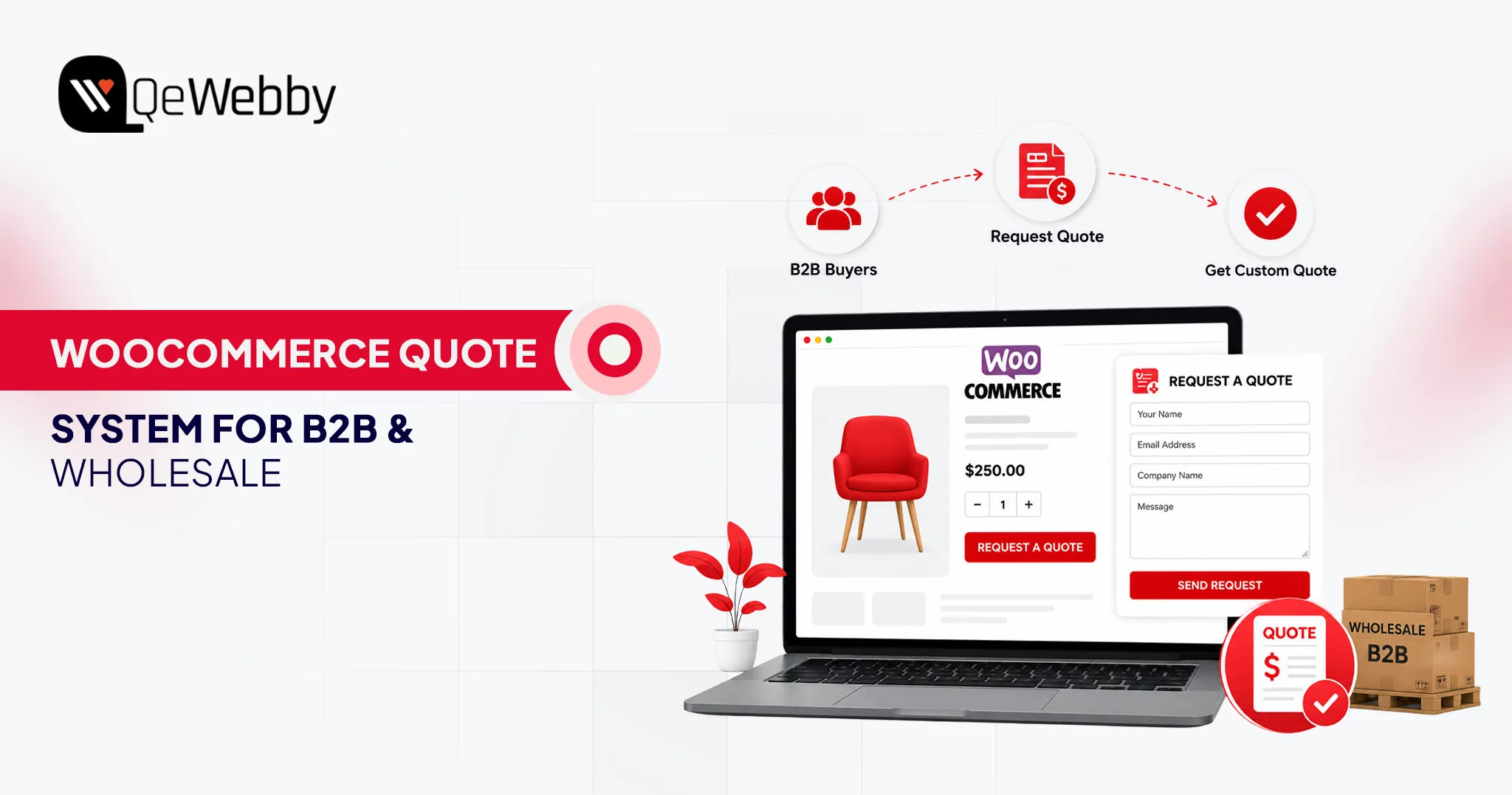





Most wholesale stores do not lose deals because their prices are wrong. They lose deals because buyers have to email, wait, and follow up just to learn what a bulk order actually costs. That delay is the leak.
A WooCommerce quote system closes it by turning a slow back-and-forth into a structured, on-site request that lands in your dashboard the moment a buyer is ready to talk numbers. Today’s B2B buyers expect the same fast, self-service purchasing experience they receive as consumers.
This guide walks through what a WooCommerce quote system is, how to set one up step by step, and when a store owner should stop tinkering with plugins and bring in a specialist.
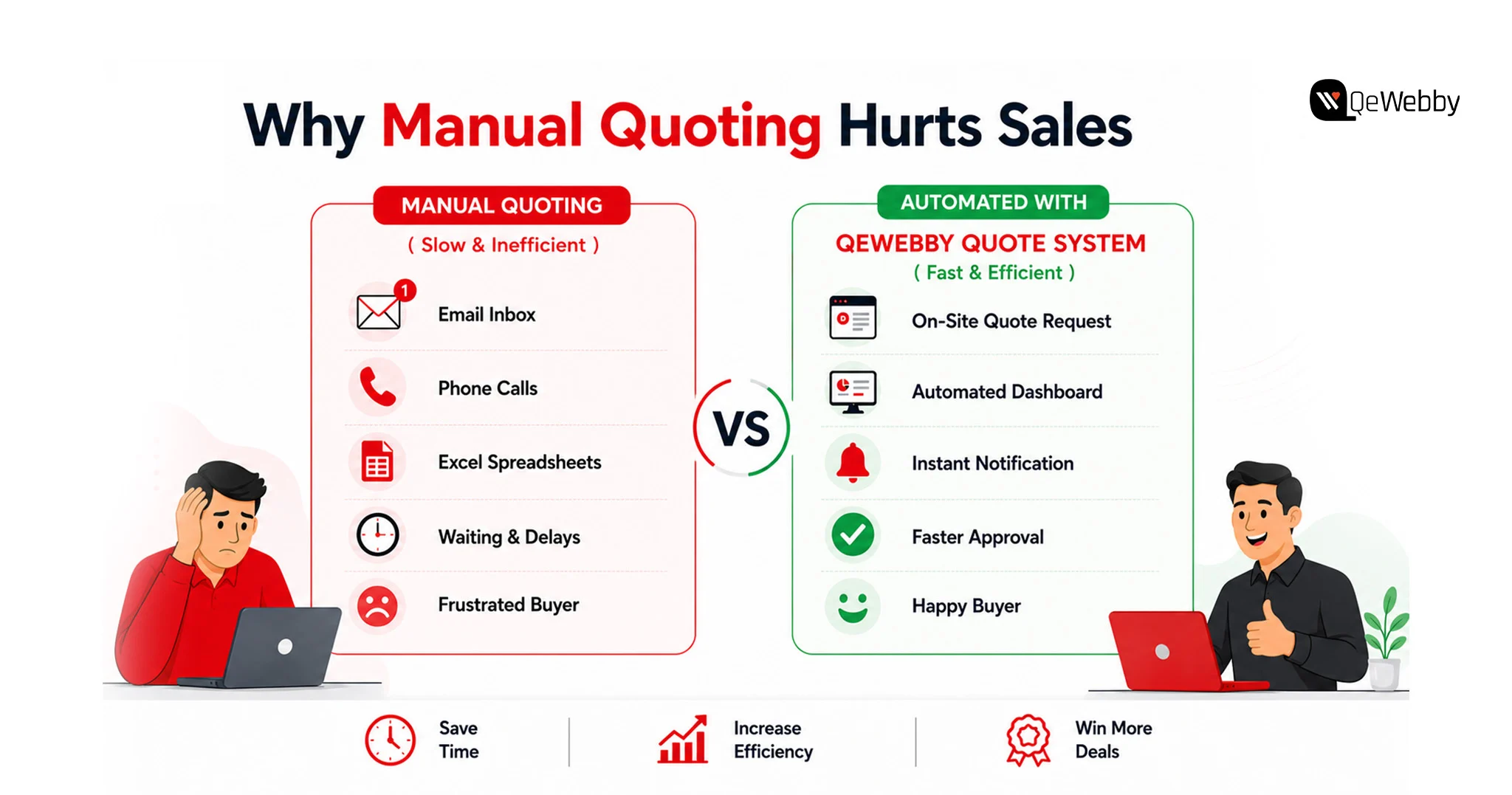
Why Manual Quoting Quietly Drains B2B Revenue
Manual quoting feels harmless. It is not. Every wholesale order routed through a rep’s inbox introduces delay, and delay is where B2B pipelines go to die.
The behavior shift is already measurable. Gartner found that 67% of B2B buyers prefer a rep-free buying experience, and 45% used AI during a recent purchase. Your buyer wants to self-serve. When your only path to a wholesale price is a phone call, you are fighting the way your market prefers to buy.
The market is not small, either. The B2B wholesale ecommerce market reached $32.1 trillion in 2025, roughly five times the size of B2C ecommerce, growing at a 14.5% CAGR. Digital channels now drive 56% of B2B revenue, up from 32% in 2020. The buyers are online. The question is whether your store captures them or sends them to a competitor who answers faster.
A WooCommerce quote system does not magically fix conversion. It removes the friction and lag that make a bad number worse, which is why a well-built WooCommerce quote system pays back fastest on high-value wholesale carts.
What a WooCommerce Quote System Actually Is
A WooCommerce quote system replaces the standard WooCommerce checkout with a structured “Request a Quote” workflow for selected products, customer groups, or user roles. The buyer creates a quote request, sends it and gets a custom quote from the store owner that the buyer can negotiate and place an order for.
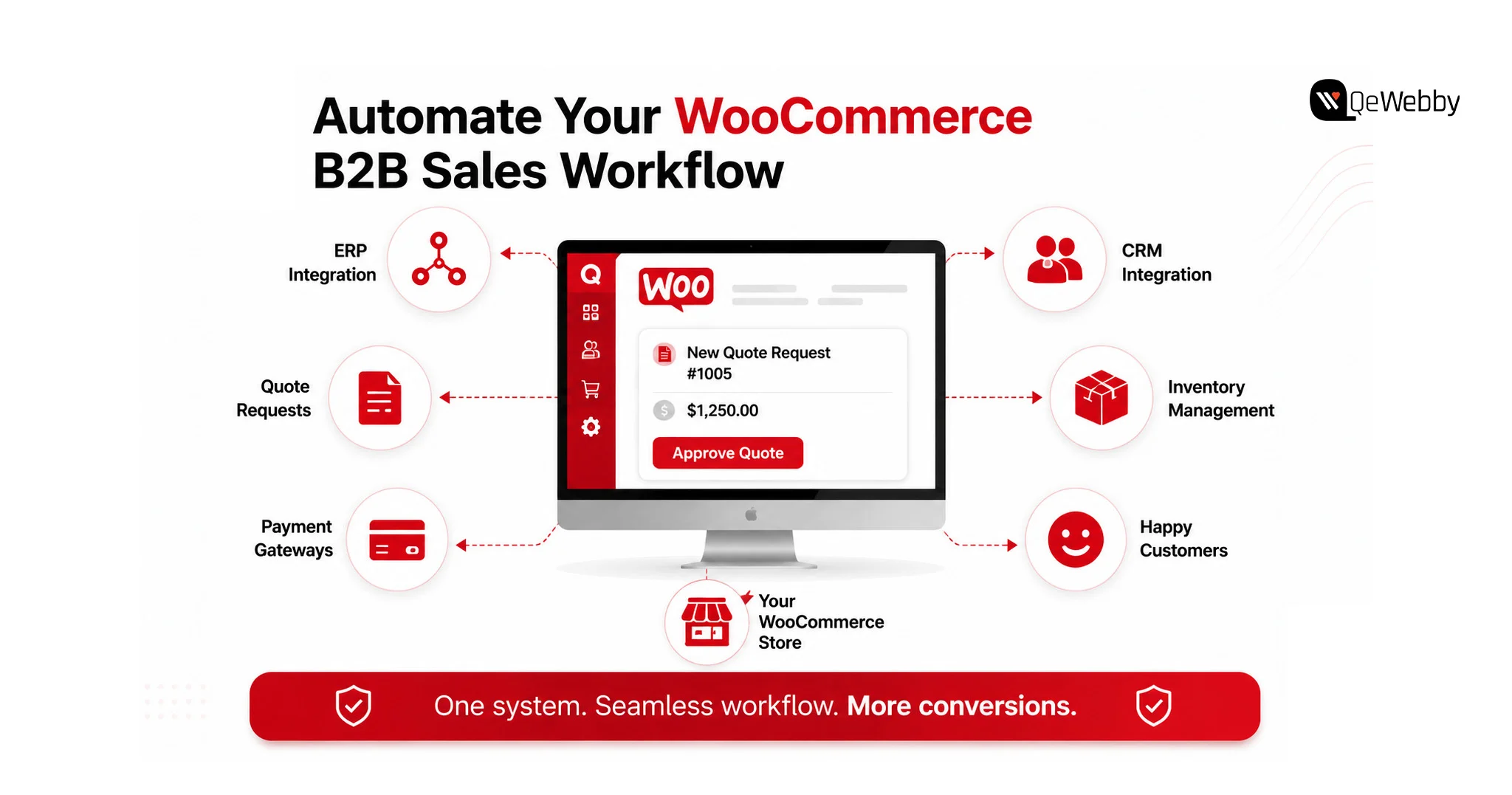
Eliminate all the bells and whistles, and a WooCommerce quote system does four things. It places prices and/or the buy button in a location that you select. It collects quote requests that are directly linked to specific products, quantities, and customer information. Provides you with a dashboard to price, counter and approve each request.
And it turns an accepted quote into a typical WooCommerce order for payment. That last one is key, as it means your accounting, inventory and tax processing stay within the system you’re already using. This differs from a form where you type any information you want to send to the contact person. A form is a tool that gathers an e-mail message.
A WooCommerce quote system allows for the collection of intent related to particular SKUs, quantities, and customer role, and carries the intent through a defined pipeline. That’s what it is all about for wholesale and B2B. Just consider the WooCommerce quote system as a pipeline, as opposed to a form, and the rest of the setup is straightforward.
How to Set Up a WooCommerce Quote System Step by Step
Setting up a WooCommerce quote system is less about code and more about decisions. Who sees prices? Who can request a quote? What happens after they submit? Get those answers right, and the configuration is straightforward. The sequence below builds a working WooCommerce quote system in an afternoon, and it scales cleanly as your catalog grows.
Step 1: Choose and Install a Quote Plugin
WooCommerce does not ship quoting natively, so you install an extension. Strong options include the official Request a Quote for WooCommerce extension, YITH Request a Quote, the WebToffee Request a Quote plugin, and B2BKing for deeper wholesale control. Upload the plugin ZIP, activate it, and enter your license key. That is the entire install.
Step 2: Decide Where Quotes Replace Checkout
Now set the scope. Go into the plugin settings and choose which products trigger a quote request. You can enable quoting store-wide, for specific categories, or for individual SKUs. Most wholesale stores run a hybrid: retail products keep normal checkout, while bulk and made-to-order lines switch to a quote request. Do not enable it everywhere by default. Enable it where a custom price actually exists.
Step 3: Configure Role-Based Rules
This is where a WooCommerce quote system earns its keep. Rules-based plugins let you show different behavior to different user roles. Guest users might see hidden prices and a login prompt. Wholesalers see the quote button with prices hidden. Retailers keep prices, keep “Add to Cart,” and also get a quote option for large orders. Create a rule, name it, set its status to active, and define which roles and products it applies to.
Step 4: Build the Quote Request Form
The form is your data-capture layer. Use the plugin’s default form or connect Contact Form 7, Gravity Forms, WPForms, or Ninja Forms if you already run one. Capture what your sales team needs to price accurately: company name, quantity, delivery location, and any customization notes. Keep it short. Every extra field is a reason to abandon.
Step 5: Set the Quote Lifecycle and Expiry
Define what happens after submission. Incoming requests land in your dashboard under WooCommerce with a Pending status. You review, enter your offered price, and send the quote back. Set an expiry window, anywhere from one day to one month, so quotes match your sales cycle and create gentle urgency. A quote that never expires is a negotiation that never closes.
Step 6: Enable Quote-to-Order Conversion
The final step is the payoff. When a buyer accepts your quote, the plugin converts it into a standard WooCommerce order they can pay through your existing gateways. Confirm this conversion works end to end before launch. Test it as a buyer, accept a quote, and complete a payment. If that loop breaks, your WooCommerce quote system is a lead form, not a sales engine.
For a deeper walkthrough of individual plugin screens, WebToffee’s setup documentation covers the field-level configuration in detail.
How to Choose the Right Quote Plugin for Your Store
Not every plugin fits every store, and picking the wrong one means a rebuild six months in. The plugin you choose becomes the backbone of your WooCommerce quote system, so the decision comes down to how much B2B logic you need layered on top of the quote flow.
| Requirement | Lightweight plugin | Full B2B suite |
|---|---|---|
| Hide the price and the buy button | Yes | Yes |
| Role-based quote rules | Basic | Advanced |
| Tiered wholesale pricing | Limited | Yes |
| Tax exemption and net terms | Rare | Yes |
| Quote-to-order conversion | Yes | Yes |
| Best for | Simple quote capture | Full wholesale portals |
| ERP Integration | Limited | Better |
If you only need to hide prices and capture requests on a handful of products, a lightweight WooCommerce quote system is enough. If you are building a full wholesale channel with tiered pricing, tax exemptions, and net payment terms, a B2B suite saves you from stitching together five tools. The more instructive question is not which plugin has more features. It is how much of your pricing logic lives outside WooCommerce today, because that is what you will have to migrate in.
Configuring a WooCommerce Wholesale Quote System
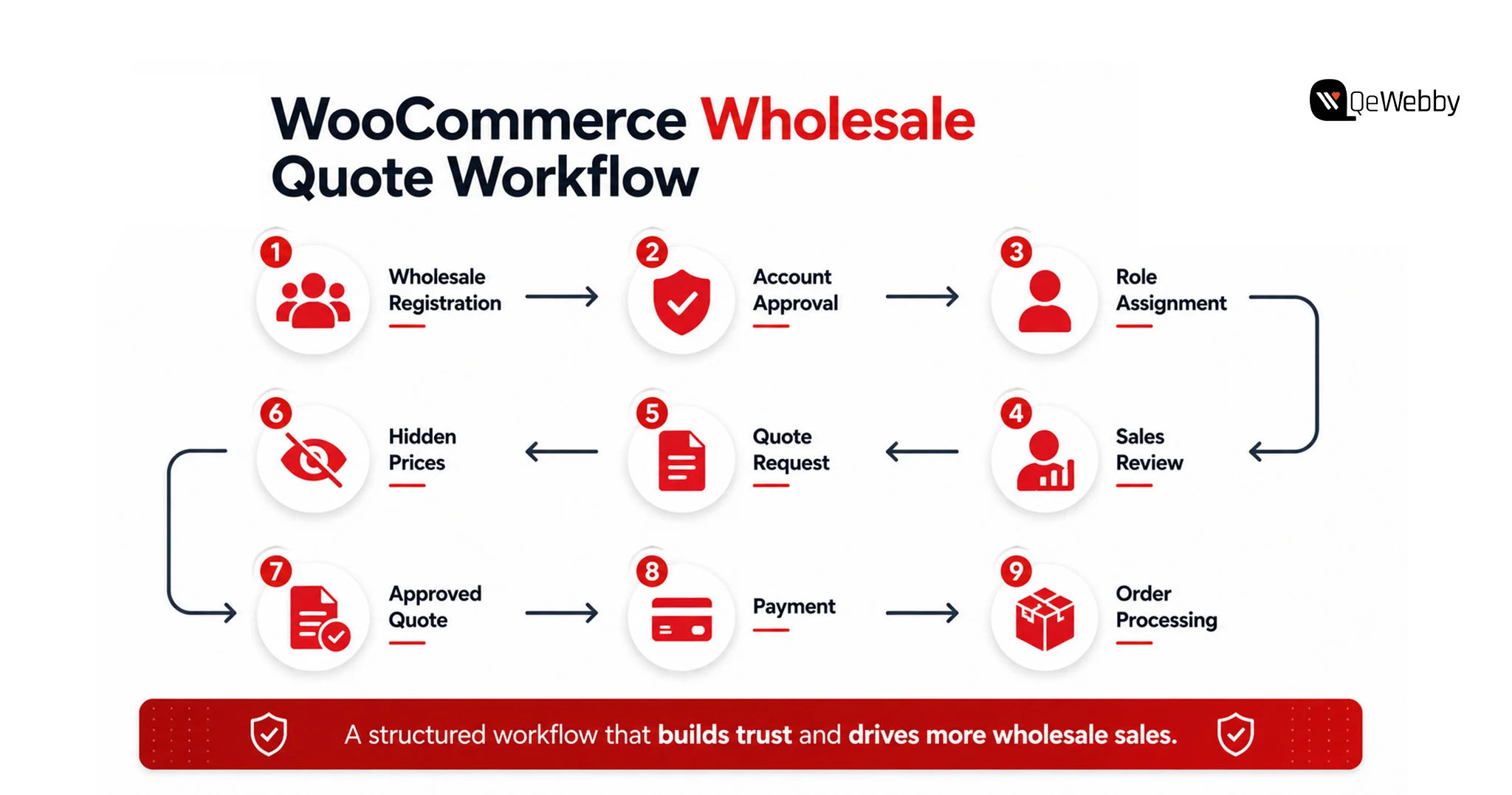
A WooCommerce wholesale quote system is not just a quote form with a different label. Wholesale carries pricing logic that retail never touches, and a WooCommerce wholesale quote system has to account for all of it.
Start with customer roles. A proper WooCommerce wholesale quote system separates verified wholesale accounts from the public, so approved buyers see quote actions and tiered pricing while everyone else sees retail.
Add a wholesale registration and approval process because you do not want your trade prices visible to the open web. Layer in minimum order quantities on wholesale lines so a quote request reflects a realistic bulk order rather than a single unit.
Then handle the money mechanics. Wholesale buyers often expect tax-exempt pricing, net-30 terms, and volume breaks. A serious WooCommerce wholesale quote system supports all three, either through the quote plugin or a dedicated B2B extension. When those rules live inside the system, your quotes come out accurate on the first pass, and accuracy is what shortens the negotiation.
A wholesale channel built on manual spreadsheets will always cap your growth. The teams scaling past that ceiling automate the quote-to-cash path.
When to Bring In a WooCommerce Development Services Partner
Plugins handle the standard cases. They struggle when your requirements stop being standard, and most growing B2B stores hit that wall faster than they expect. That is the point of engaging WooCommerce development services rather than forcing a plugin past its limits. Good WooCommerce development services do not just install a plugin. They engineer the quote logic your business actually runs on.
The signals are specific. Your quote logic depends on a customer’s contract pricing pulled from an ERP. Your catalog runs tens of thousands of SKUs with variant-level wholesale tiers. You require the quote flow to integrate with NetSuite, SAP, or your custom CRM. In such situations, it’s more integration debt than it’s worth to go with the standard plugin.
Professional WooCommerce Development Services provide a quote engine that matches your real process and not plugins’. Each plugin you install increases your possibility of being vulnerable, increases the cost of performance and creates another line of failure.
WooCommerce stores with actual B2B complexity eventually stop building plugins and go ahead and hire a WooCommerce customization agency to manage and maintain the complexity of the custom code. The part that store owners underestimate but a capable WooCommerce customization agency has is testing the quote-to-order process on all roles, tax rules, and payment methods prior to landing in the customer’s real hands.
Turning a Quote System Into a Revenue Engine
A WooCommerce quote system is not a checkbox you tick and forget. It is the front door to your entire B2B channel, and how you build it decides whether wholesale becomes a growth line or a support burden. The setup is simple to start: install a plugin, scope where quotes replace checkout, configure roles, and test the conversion loop. The complexity arrives with scale, and that is exactly when a WooCommerce quote system built by specialists pays for itself.
Buyers have already decided how they want to purchase. They want to self-serve, request pricing on their terms, and skip the phone call. A WooCommerce quote system is how you meet them there, and doing it before a faster competitor does is the whole game.