















A WooCommerce checkout breaks after a plugin update. Your theme stops rendering correctly on mobile. Customers cannot complete purchases. You contact your hosting provider and receive a familiar response: “The server is running normally.”
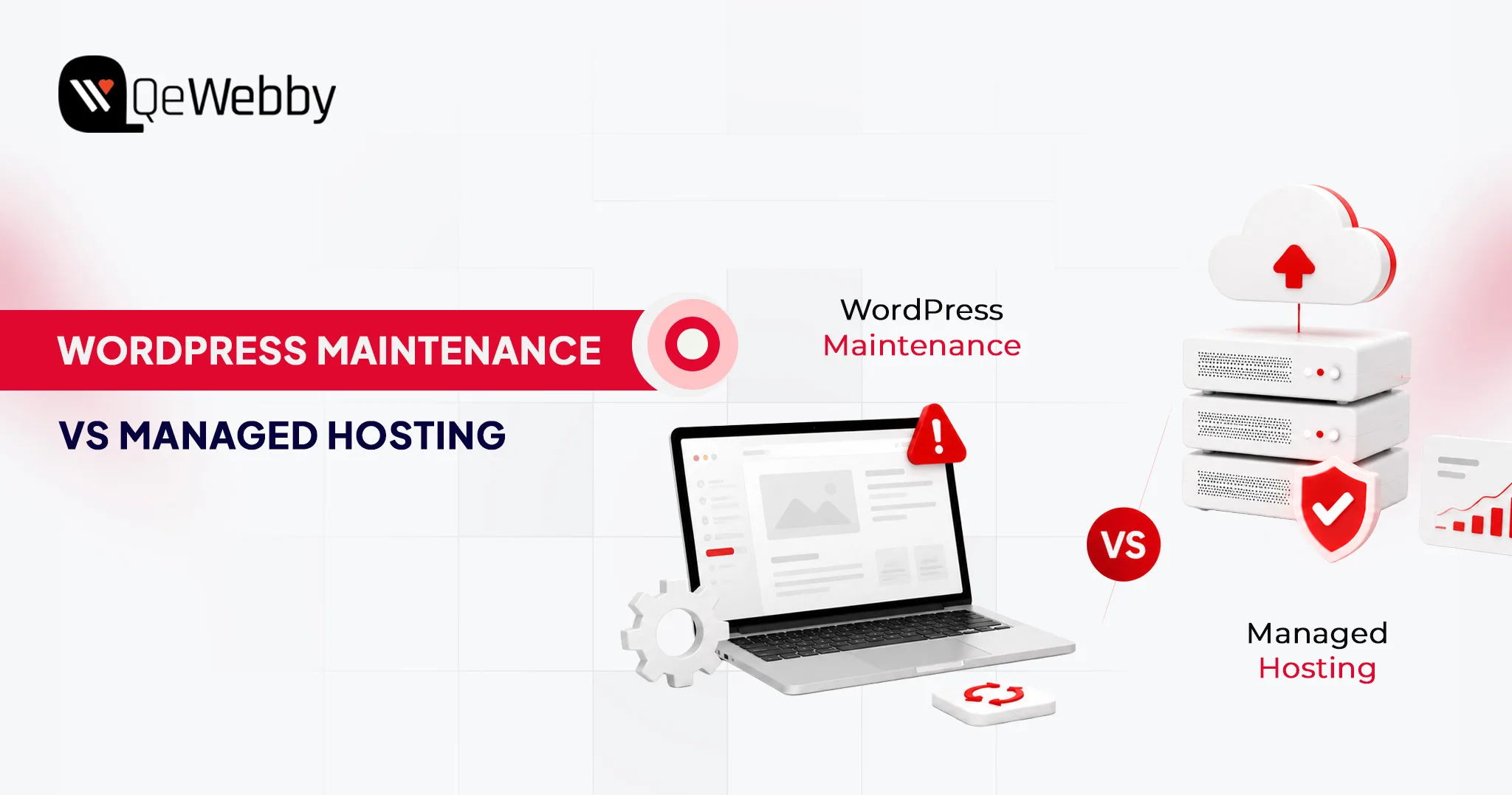
That’s because managed hosting and WordPress maintenance solve different problems. Hosting keeps the infrastructure online. Maintenance keeps the WordPress application functioning properly.
The server can be healthy while the website is broken.
At revenue-generating sites, there’s no choice of words. Managed hosting is not the same as WordPress maintenance; where one stops, the other begins.
What is WordPress Maintenance?
WordPress maintenance services are regular maintenance schedules that control all the elements above the server: Plugins, themes, core files, database integrity, and security. This is typically offered in monthly WordPress support packages, ranging from the level of your site to the amount of time you will receive support. The top layer is the application layer, and it is called the scope. Not the hardware that’s under it.
That’s something many website owners don’t realize. Managed hosting is responsible for keeping the server online, while comprehensive WordPress maintenance services focus on keeping the website itself secure, updated, optimized, and functioning properly. They solve different problems at different layers of the stack.
What’s inside a WordPress maintenance plan:
- All plugin updates are also tested in a ‘staging’ environment before being deployed to production. This is the one thing that most managed hosting plans out there don’t have, and that’s why most of the site breakages can be attributed to plugin conflicts.
- WordPress core updates include security fixes, as well as new features. These releases are also tested and scheduled by maintenance providers, instead of being pushed automatically to live environments where an unexpected release may break any custom functionality.
- Theme updates, though it might seem otherwise, are more disruptive. Theme updates have the potential to mess up custom CSS, break layouts of page builders, and reset the header/footer settings. A maintenance provider approves the visual rendering before the update gets to the live site.
- Security monitoring includes malware scanning, login attempt monitoring, file integrity monitoring, and suspicious code injections. Partial scanning might be provided by managed hosts. The maintenance providers fix what they find.
- Backups mean daily or real-time off-site copies with tested restore procedures. The operative word is tested. A backup nobody has verified isn’t a backup strategy. It’s an assumption waiting to fail at the worst possible time.
- Performance checks address database optimization, image compression audits, plugin load time analysis, and wordpress seo performance optimization, including Core Web Vitals monitoring and page speed improvements. These aren’t optional maintenance tasks for revenue-generating sites. Slow-site degradation compounds quietly until it starts costing conversion rates.
What is Managed WordPress Hosting?
Managed WordPress hosting isn’t a premium tier of generic hosting. It’s a server environment built and operated specifically for WordPress workloads. The hardware, network architecture, and software stack are configured for WordPress, not shared across a hundred unrelated applications running on commodity infrastructure. Managed WordPress hosting pricing reflects that specialization, and the performance gap over self-managed VPS setups is real for any operator without a dedicated DevOps function.
What it does well, it does very well. Infrastructure-level performance and security sit in a different category from what most site owners can replicate independently. What it doesn’t do is touch the WordPress application running on top of that infrastructure. That boundary is where most buyers get into trouble.
What’s inside a managed WordPress hosting plan:
- Server management covers operating system updates, server software patching, PHP version management, and hardware resource allocation. The provider owns this layer completely.
- CDN serves content from edge nodes geographically close to each visitor, cutting page load times without any configuration on your end. Most managed hosts include CDN natively or through a Cloudflare integration.
- Caching combines server-side page caching, object caching via Redis or Memcached, and opcode caching to absorb traffic spikes without creating database bottlenecks. This is where managed hosting earns its cost premium at scale.
- Infrastructure security runs Web Application Firewalls, DDoS protection, IP reputation filtering, and network-level threat blocking. Outside-in protection: threats stopped before they reach WordPress. What it doesn’t cover is the application logic running inside.
- Uptime monitoring backs a provider SLA, typically 99.9% at standard tiers and 99.99% at premium. The distinction worth noting: providers monitor their infrastructure. They don’t monitor whether your site is functioning correctly on top of it.
WordPress Maintenance vs Managed Hosting Comparison
Put these two services side by side, and the gaps become obvious. The confusion in the market isn’t about what managed hosting does; it’s about what it doesn’t do, and whether buyers notice that absence before something breaks.
| Feature | Maintenance | Managed Hosting |
|---|---|---|
| Plugin Updates | Full (staged) | Limited (automated only) |
| Core Updates | Tested | Partial (auto-push) |
| Backups | Off-site, tested | Server-level |
| Hosting Infrastructure | Not included | Full management |
| Malware Monitoring | Detect + Remediate | Partial (detect only) |
| Technical Support | App-layer issues | Server-layer issues |
| Database Optimisation | Included | Not standard |
| Staging Environment | Standard | Sometimes included |

Pricing Comparison in 2026
Understanding website maintenance cost versus managed WordPress hosting pricing separately is useful; understanding them together is more useful still. These are not competing budget lines; they cover different functions. Most growing businesses end up running both, which is why combined planning matters.
Monthly Cost Breakdown
| Website Type | Maintenance | Managed Hosting |
|---|---|---|
| Small Business | $20-$100/mo | $20-$80/mo |
| Growing Business | $100-$500/mo | $50-$300/mo |
| Enterprise | $500-$2,000+/mo | $300-$5,000+/mo |
What’s Included at Each Pricing Tier?
WordPress maintenance pricing and hosting costs don’t scale uniformly. What you’re actually buying at each tier is different in kind, not just in volume.
Budget tier ($20–$100/mo maintenance | $20–$80/mo hosting)
Automated backups, core and plugin updates, uptime monitoring, and monthly reporting. Support runs on a ticket system with 24–48 hour response windows. Hosting at this level covers shared or entry-level managed environments with CDN and basic caching. WordPress maintenance pricing here rarely includes staging environments, which means updates go straight to production untested. Workable for brochure sites and low-traffic blogs where a broken checkout isn’t a business event.
Growth tier ($100–$500/mo maintenance | $50–$300/mo hosting)
Staged updates are tested before deployment, malware remediation, performance optimization, priority support, and dedicated account management. Hosting shifts to dedicated resources with staging environments and faster SLA response times. This is where WooCommerce maintenance services typically land. Transactional sites carry update risk that budget plans aren’t built to handle. Staged testing and faster remediation aren’t upsell features at this level; they’re the baseline requirement for any site processing revenue.
Enterprise tier ($500–$2,000+/mo maintenance | $300–$5,000+/mo hosting)
Full-service maintenance with custom development hours, dedicated support engineers, SLA-backed response commitments, advanced security auditing, and proactive performance management. Hosting runs on isolated server environments with multi-region redundancy and enterprise-grade SLAs. Agencies operating white-label WordPress maintenance programs for multiple clients work in this tier. The pricing reflects accountability, not just capability.
Can You Use Managed Hosting and Maintenance Together?
Not only can you generate revenue from any site, but running both is the baseline standard. These services aren’t redundant. They cover different layers of the same stack, and the gap between those layers is exactly where sites break.
Why Hosting Doesn’t Replace Maintenance
Managed WordPress support at the server level tells you when the infrastructure is down. It doesn’t tell you when a payment gateway plugin conflict introduced during an automated update is silently failing your WooCommerce checkout. It won’t clean malware injected through a vulnerable contact form plugin. It won’t touch a database that has bloated to 2GB of autoloaded data.
According to WPScan’s WordPress Vulnerability Database, over 97% of WordPress vulnerabilities originate in plugins and themes, not the server. No managed host is scoped or paid to resolve application-layer problems. That’s a maintenance function.
Why Maintenance Doesn’t Replace Hosting
A maintenance provider manages your WordPress application on whatever server infrastructure you give them. If that server is under-resourced, misconfigured for WordPress workloads, or running on shared hosting with noisy neighbors throttling performance, plugin update management won’t fix it. Infrastructure constraints sit outside the scope of any care plan. A maintenance provider operating on a poorly configured server is competent work applied to the wrong constraint.
Best Combined Setup for Growing Businesses
The professional standard for revenue-generating sites: a premium managed host, WP Engine, Kinsta, Flywheel, or Cloudways, handling infrastructure performance, paired with a dedicated WordPress maintenance services provider managing the application layer. The host owns the server. The maintenance provider owns the site. Each vendor’s accountability is clear, and no coverage gap exists between them.
Agencies serving multiple clients often formalize this model through white-label WordPress maintenance programs, outsourcing application management to a specialist while retaining the client relationship. Maintenance labor is predictable at scale, and white-label providers price to reflect that predictability.
Businesses migrating from shared hosting often combine managed hosting with professional wordpress migration services before implementing ongoing maintenance.
WordPress Maintenance vs Managed Hosting: Who Is Responsible When Something Breaks?
| Issue | Managed Hosting | Maintenance Provider |
|---|---|---|
| Server outage | ✓ | ✗ |
| Plugin conflict | ✗ | ✓ |
| Theme issue | ✗ | ✓ |
| Database cleanup | ✗ | ✓ |
| Malware cleanup | Sometimes | ✓ |
| PHP updates | ✓ | ✗ |
| Core Web Vitals optimization | Partial | ✓ |
Hidden Costs Most Website Owners Miss
Advertised WordPress maintenance pricing and managed WordPress hosting pricing are starting points, not total costs. Both categories carry expenses that only surface when something breaks or when the site outgrows its initial plan scope.
Maintenance costs that don’t appear in the plan:
Emergency fixes sit outside most WordPress support plans. Urgent remediation for a broken WooCommerce checkout during a product launch typically runs $200 to $500 per incident, billed separately from the monthly care plan.
Malware cleanup follows the same pattern: basic plans detect the problem; remediation, especially forensic cleanup across hundreds of pages of injected SEO spam, is a separate line item.
Custom development is another gap buyers miss. Care plans cover updates and monitoring. When a plugin conflict requires a code-level fix, that’s development work billed outside the plan entirely. Content updates follow the same logic: most maintenance plans don’t include them, and assuming otherwise leads to invoices that weren’t in the budget.
Hosting costs that don’t appear in the plan:
Traffic overages are the most common surprise. Plans price at bandwidth or visitor thresholds, and a product launch or press mention driving 10x normal traffic can generate overage charges that exceed the monthly plan cost.
According to Kinsta’s managed hosting documentation, overages are calculated per visit above the tier limit, which compounds quickly under unexpected traffic spikes. Storage upgrades hit media-heavy sites faster than expected, priced per increment with no retroactive adjustment.
Migration costs add a one-time $150 to $500 charge when switching hosts, regardless of “free migration” language in the plan terms, which typically applies to one site, one direction, one time.
The pattern across both categories: the advertised price covers the predictable scenario. Every edge case is an add-on.
Which Option is Right for Your Business?
The answer depends less on budget than on what’s currently broken and what failure mode you’re most exposed to. A slow server is a hosting problem. A plugin conflict is a maintenance problem. Most sites eventually face both.
Choose Maintenance If:
- You’re already satisfied with your hosting performance and uptime
- You need to update management and staged deployment to prevent site breakages
- You need ongoing managed WordPress support for plugin conflicts, security incidents, and troubleshooting
- You’re running a complex plugin stack where automated updates carry genuine risk
Choose Managed Hosting If:
- Your current host is slow, and performance is the primary complaint from users
- You’re experiencing uptime instability or unplanned outages
- You need infrastructure-level support: server configuration, PHP versions, caching
- You’re migrating from shared hosting and need a WordPress-optimized environment
Choose Both If:
- You operate a revenue-generating website where downtime has a direct cost
- You run a WooCommerce store. WooCommerce maintenance services plus managed hosting is the minimum viable setup for transactional sites.
- You’re an agency managing multiple client sites and need reliable, scalable coverage.
- You run a membership platform, LMS, or subscription site where application stability is critical.
Typical Service Provider Categories
The market for both services has stratified significantly. Knowing which provider type fits your situation prevents overpaying for complexity you don’t need or underinvesting in coverage that matters.
DIY Maintenance Tools
With plugins such as ManageWP, MainWP and WP Umbrella, technically competent operators will have dashboard control over updates, backups and uptime monitoring for multiple sites.
They are suitable for the developer/agency who wants control but not the expense of a managed care plan. The downside of this is that human decision-making and remediation continues to rest on the operator.
WordPress Maintenance Agencies
Full-service WordPress maintenance companies can provide updates, security surveillance, custom development, content assistance, and more. They’re ideal for companies looking to have one place to monitor the health of applications, but that they don’t have to create it themselves. Basic plans are $50 per month, enterprise level is $2,000+/month.
White-Label Maintenance Providers
White label WordPress maintenance services are the same services provided under a different name, often by a web design agency who would like to offer maintenance services under their own brand without having to create an internal maintenance service. The agency is responsible for the client relationship, the white-label provider is responsible for the work. For agencies with 10+ client sites, the financial sense of outsourcing maintenance becomes clear, and this model makes sense.
Managed Hosting Providers
These providers, such as WP Engine, Kinsta, Flywheel, and Cloudways, prioritize infrastructure performance and reliability. The price of managed WordPress hosting from these providers starts at $20/month and can climb as high as $500+/month for enterprise-level hosting. Their value proposition is a (WordPress optimized) server stack, their scope is everything above the server layer.
Enterprise Hosting Platforms
For enterprises that have compliance needs, multi-environment workflows, and integration needs with DevOps, there are three options: Pantheon, Acquia, and WP VIP. These are platforms that combine hosting and maintenance capabilities with developer tools, pipelines and professional services and charge an appropriately high price with such capabilities.
WordPress Maintenance vs Managed Hosting: Final Decision Matrix
Most businesses complicate this decision by treating it as a single choice. There are two choices, one for each layer of the stack. Use this matrix to identify where you currently have gaps.
| Scenario | Recommended Solution |
|---|---|
| Brochure Website (low traffic, few plugins) | Managed Hosting alone (handle updates manually) |
| Growing Business Site (10+ plugins, moderate traffic) | Both maintenance + managed hosting |
| WooCommerce Store | Both WooCommerce maintenance services + managed hosting are non-negotiable |
| Enterprise Site (compliance, high traffic) | Both enterprise hosting platform + dedicated maintenance plan |
| Infrastructure Problems Only (slow server, outages) | Managed Hosting upgrade |
| Application Problems Only (plugin conflicts, malware) | WordPress maintenance services |
| Agency Managing Multiple Clients | Both white-label WordPress maintenance + managed hosting per client |
The Bottom Line
Managed hosting and WordPress maintenance services solve different problems at different layers of the same stack. Confusing one for the other is how revenue-generating sites end up exposed at exactly the layer nobody’s watching. The server being up doesn’t mean the site is working. For any business where downtime carries a real cost, the right question isn’t hosting or maintenance. It’s which provider owns which layer, and whether that accountability is clearly defined before something breaks.