










Most small business owners think hackers are only interested in large companies with valuable customer data or deep pockets. That’s exactly what makes smaller websites easy targets.
Cyberattacks today aren’t personal. They’re automated. Bots scan thousands of WordPress websites every hour, looking for outdated plugins, weak passwords, exposed login pages, and other common vulnerabilities.
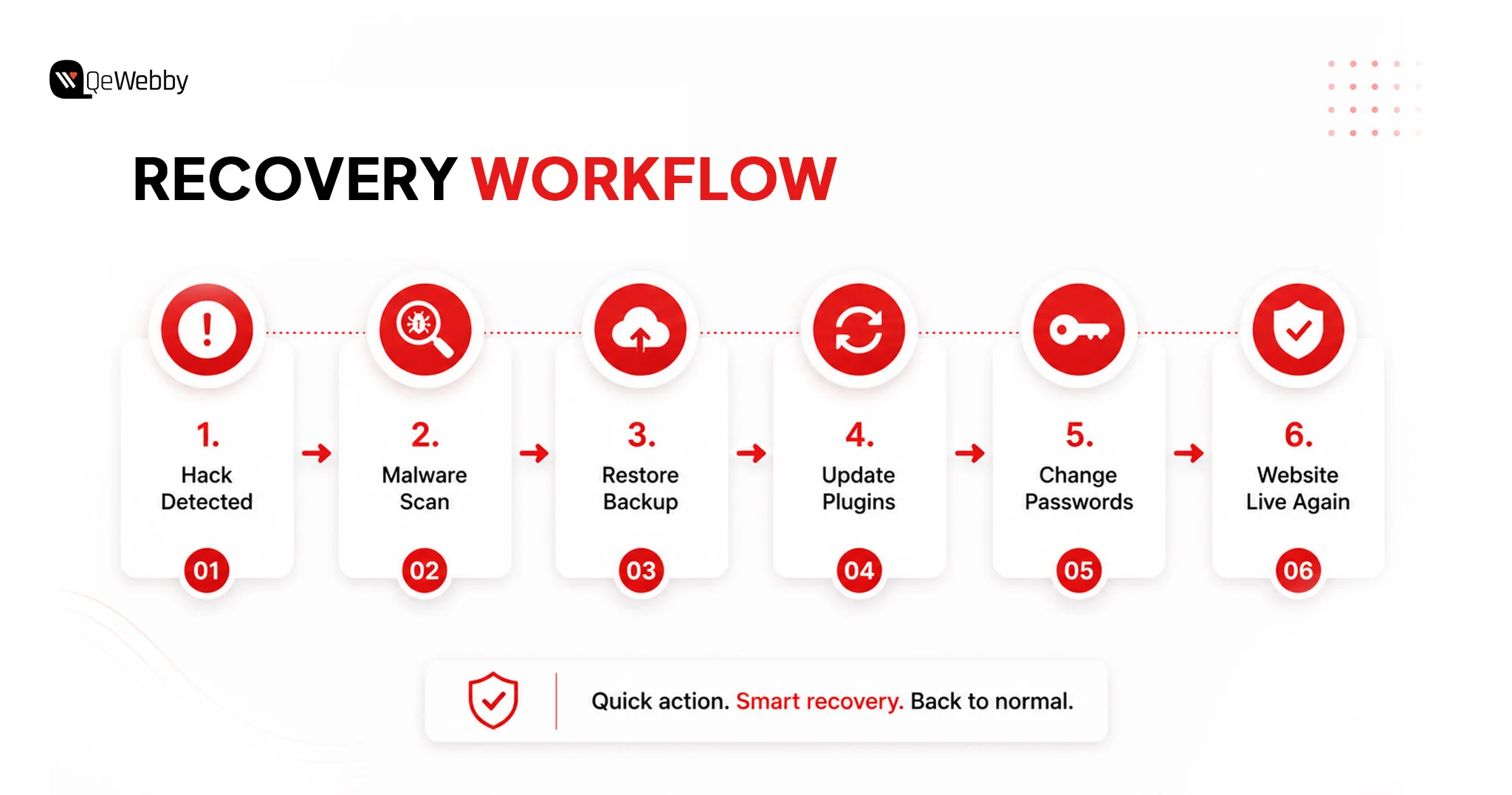
Imagine waking up to discover your homepage redirects visitors to a gambling website, Google has marked your site as unsafe, and your customers can no longer trust your business. It happens far more often than most business owners realize, and recovering can take weeks while damaging your rankings, reputation, and customer trust.
The good news is that WordPress security for small businesses doesn’t have to be expensive. In fact, most of the protection your website needs is completely free.
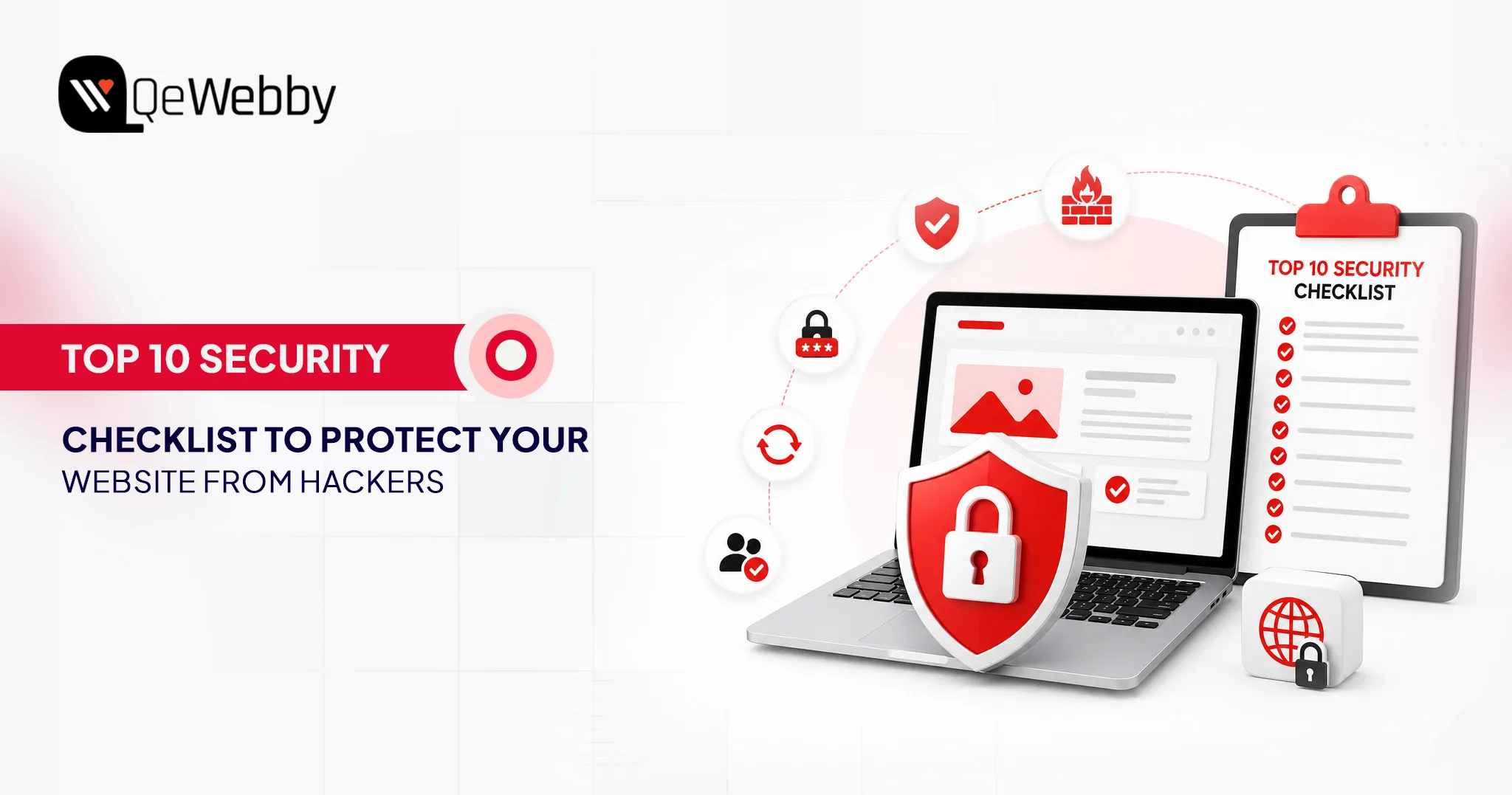
This free WordPress security checklist shows you how to secure your WordPress website for free using trusted plugins, built-in WordPress settings, and simple best practices. No coding. No premium software. Just practical steps that every small business owner can implement today.
Why Are Small Businesses Vulnerable to Cyberattacks?
Most cyberattacks don’t begin with someone choosing a specific business to target. They begin with automated bots scanning thousands of WordPress websites for common weaknesses.
Before diving into the free WordPress security checklist, it’s important to understand why WordPress security for small businesses deserves immediate attention.
The Dangerous Myth That Small Sites Are Safe
Many business owners believe hackers only pursue high-profile companies. In reality, automated bots scan millions of WordPress websites every day, searching for weak passwords, outdated plugins, vulnerable themes, and exposed login pages. They don’t evaluate business size.
What a Hack Actually Does to a Small Business
A compromised WordPress website can do far more than display unwanted content. Attackers may steal customer information, inject malware, redirect visitors to fraudulent websites, or trigger Google’s security warnings that remove your pages from search results. Even a single outdated plugin has cost small businesses thousands in recovery expenses, lost revenue, and damaged customer trust.
The Good News: Free Security Covers Most Small Business Needs
The encouraging part is that effective security doesn’t have to be expensive. Regular updates, strong passwords, free WordPress security plugins, free WordPress malware protection, and free WordPress two-factor authentication stop the majority of common attacks. Spend one afternoon implementing the right measures, and your website instantly becomes far more difficult for automated bots to compromise.
The Complete Zero-Cost WordPress Security Checklist
A secure website isn’t built with one tool. It’s built through small, consistent improvements. Complete the following free WordPress security checklist to strengthen WordPress security for small businesses using trusted free tools and settings that take only minutes to configure.
1. Keep WordPress, Themes & Plugins Updated
Every WordPress update strengthens your website against newly discovered vulnerabilities. Keeping your core files, themes, and plugins updated reduces the chances of malware infections, unauthorized access, and compatibility issues. It’s one of the easiest yet most effective ways to improve WordPress security for small businesses without spending anything.
Why It’s Necessary
- Closes known security vulnerabilities before hackers exploit them.
- Protects your website from malware and automated attacks.
- Improves plugin compatibility and website stability.
- Keeping your website optimized also improves performance. Our WordPress Speed Optimization Services help businesses maintain both security and loading speed.
In Verizon’s 2024 Data Breach Investigations Report, 14% of data breaches involved the exploitation of vulnerabilities as the initial access method, nearly three times higher than the previous year. Hackers don’t need sophisticated techniques if websites aren’t patched. That’s exactly why updating WordPress, plugins, and themes every week should be your first security habit.
2. Install Wordfence Free: One of the Best Free Security Plugins
A good security plugin acts like a gatekeeper for your website. Wordfence provides WordPress malware protection for free, a free WordPress firewall, login monitoring, and WordPress brute force protection, making it one of the most comprehensive free security solutions available.
Why It’s Necessary
- Blocks suspicious traffic before it reaches your website.
- Scans files for malware and security issues.
- Limits repeated login attempts from bots.
- Combines multiple security features into one plugin.
- Reduces plugin conflicts by replacing several separate security tools.
3. Enable Two-Factor Authentication on Every Admin Account
Passwords can be guessed, leaked, or stolen, but two-factor authentication adds another layer of protection. Even if someone knows your password, WordPress two-factor authentication free prevents unauthorized access by requiring a second verification step.
Why It’s Necessary
- Protects administrator and editor accounts.
- Prevents unauthorized dashboard access.
- Reduces risks from stolen passwords.
- Adds security without affecting everyday usability.
According to Verizon’s 2024 DBIR, 68% of breaches involved a human element, including stolen credentials, phishing, or user errors. Technology alone can’t secure a website. Strong passwords, two-factor authentication, and good security habits often make a bigger difference than expensive software.
4. Change the Default WordPress Login URL
The default WordPress login page is one of the first places automated bots try to access. Changing it to a custom URL adds another layer of WordPress login protection, free, making your website a far less obvious target for brute force attacks.
Why It’s Necessary
- Reduces automated login attempts targeting /wp-admin.
- Makes your login page harder for bots to discover.
- Adds an extra security layer without affecting legitimate users.
- Prevents unnecessary server load caused by repeated login requests.
5. Use Strong Passwords and a Free Password Manager
Even the best security setup can fail because of a weak password. Long, unique passwords generated with tools like Bitwarden or WordPress’s built-in password generator dramatically reduce the risk of unauthorized access while making account management much easier.
Why It’s Necessary
- Prevents attackers from guessing or cracking passwords.
- Reduces the risk of credential reuse across multiple websites.
- Stores complex passwords securely in one place.
- Makes password management simple without sacrificing security.
- Protects every user account, not just administrators.
6. Set Up SSL and Force HTTPS
An SSL certificate protects the data exchanged between your website and its visitors by encrypting every connection. Most hosting providers offer free SSL certificate through Let’s Encrypt, allowing you to improve security and build visitor trust in just a few minutes.
Why It’s Necessary
- Encrypts sensitive information during transmission.
- Displays the secure padlock icon in modern browsers.
- Prevents data interception on public networks.
- Supports better user trust and browsing confidence.
- Meets Google’s recommendation for secure websites.
7. Set Up Automated Backups to Google Drive
Backups don’t stop cyberattacks, but they make recovery quick and stress-free. A recent backup allows you to restore your website after malware infections, failed updates, accidental deletions, or hosting issues without rebuilding everything from scratch.
Why It’s Necessary
- Restores your website quickly after a security incident.
- Protects your content from accidental data loss.
- Stores backup copies away from your hosting server.
- Automates backups to reduce manual effort.
- Supports reliable WordPress backup free with cloud storage.
8. Disable XML-RPC
XML-RPC is rarely needed on modern WordPress websites, yet it remains a popular target for attackers. Disabling this unused feature removes a common attack vector and strengthens your website without affecting normal day-to-day functionality.
Why It’s Necessary
- Blocks a frequently exploited attack method.
- Reduces opportunities for brute-force login attacks.
- Improves overall website security with a simple change.
- Doesn’t affect most business websites or blogs.
- Check with your developer if remote publishing is enabled.
9. Harden WordPress Files. No Code Knowledge Required
Strong security starts with secure website files. Basic WordPress file hardening practices, including disabling the built-in file editor and applying correct file permissions, reduce the chances of unauthorized changes while making your website more resilient against attacks.
Why It’s Necessary
- Prevents unauthorized editing of plugin and theme files.
- Reduces accidental code changes by users.
- Limit file access using recommended WordPress file permissions.
- Complements other security measures instead of replacing them.
- Strengthens your website’s overall defense strategy.
10. Connect Google Search Console for Free Security Monitoring
Not every security issue is immediately visible. Google Search Console continuously monitors your website and notifies you about malware, phishing attempts, manual actions, and other problems that could impact your visitors and search visibility.
Monitoring search visibility is equally important. Our Technical SEO Services help identify indexing issues, crawl errors, and technical problems before they affect rankings.
Why It’s Necessary
- Sends alerts when Google detects security issues.
- Helps identify malware before rankings are affected.
- Monitors manual actions and indexing problems.
- Protects your website’s reputation and organic traffic.
- Requires only a few minutes to set up and monitor.
- Google also warns you if malware causes Safe Browsing issues.
3 Mistakes Small Business Owners Make With Free Security Tools
Installing free security tools is a great start, but using them incorrectly can create new problems. These are the three mistakes that leave many small business websites vulnerable, even when they believe they’re fully protected.
Mistake 1: More Security Plugins Doesn’t Mean More Security
Running multiple security plugins might seem like extra protection, but it often creates conflicts. One plugin’s firewall can interfere with another’s login protection, leading to false alerts, broken functionality, or even locking legitimate users out of the dashboard.
What to do instead
- Install Wordfence as your primary security plugin.
- Configure its firewall, malware scanner, and login protection correctly.
- Avoid installing additional security plugins that perform the same tasks.
Mistake 2: Treating Security as a One-Time Setup
Many website owners secure their WordPress site once and never look back. Meanwhile, plugins receive updates, new vulnerabilities emerge, and your website gradually becomes less protected without you noticing.
What to do instead
- Spend 15 minutes each month reviewing your security.
- Update WordPress, plugins, and themes.
- Check Wordfence scan reports.
- Confirm that your automated backups completed successfully.
Mistake 3: Assuming Your Backup Will Work
A backup only has value if it can actually restore your website. Many businesses discover their backup is incomplete or corrupted only after a hack or server failure, when it’s already too late.
What to do instead
- Download your latest backup once every quarter.
- Perform a test restore on a staging website.
- Verify that files, media, plugins, and the database restore correctly before you actually need them.
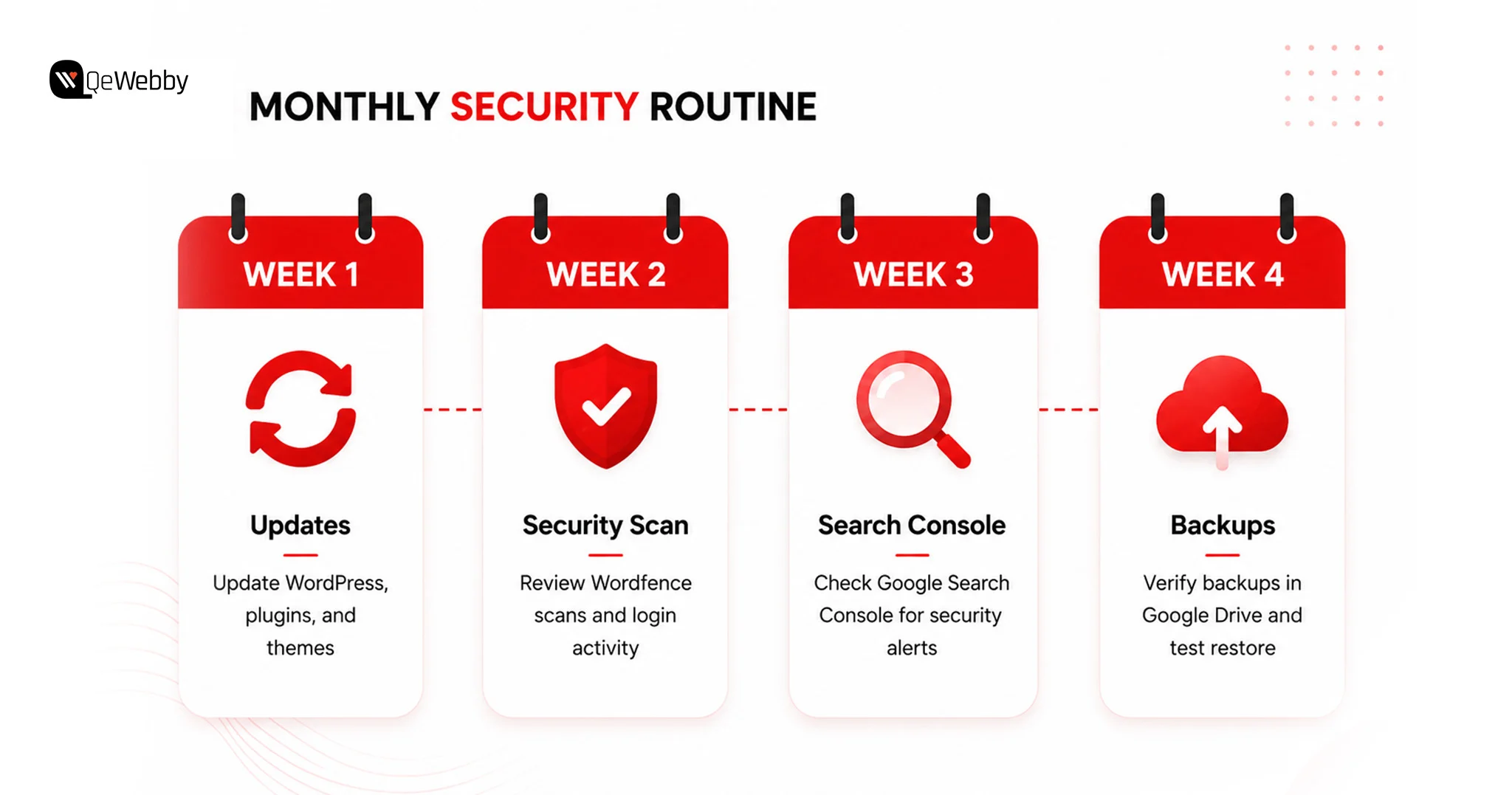
The Monthly 15-Minute Security Routine for Small Business Owners
The easiest way to maintain WordPress security for a small business is to spread small tasks across the month. Instead of spending hours fixing problems later, dedicate just a few minutes each week to keeping your website healthy.
How QeWebby Can Help You Secure Websites?
Every security layer needs to be configured correctly, monitored regularly, and maintained as your website evolves. QeWebby helps businesses build a stronger security foundation with practical solutions that keep websites protected, reliable, and easy to manage.
- Security Setup: We configure essential WordPress security features, including firewalls, malware protection, login security, SSL, backups, and file hardening to reduce common vulnerabilities from day one.
- Proactive Protection: Our team continuously follows security best practices, helping your website stay protected against emerging threats instead of reacting after an attack occurs.
- Website Maintenance: With our WordPress website maintenance service, we handle updates, monitor website health, review backups, and ensure plugins and themes remain secure and compatible.
- Performance & Security Balance: A secure website should also perform well. We optimize your WordPress environment to maintain speed, stability, and security without compromising the user experience.
- Security Designed for Small Businesses: Our WordPress security service for small businesses is designed to provide enterprise-level protection in a practical and cost-effective way, giving growing businesses the confidence to focus on their customers instead of website security.
Conclusion
Website security isn’t just about preventing attacks. It’s about protecting your reputation, customer trust, and long-term business growth. A secure WordPress site protects your reputation, strengthens customer confidence, and supports consistent online growth, making it an essential part of your digital presence rather than just another maintenance task.
Our professional WordPress Development Services combine security, performance, and long-term website management to help businesses build reliable digital experiences.
If you’re ready to strengthen your WordPress website with confidence, contact us to discuss the right solution for your business.